

Design

La Refonte insights
A practical Google Ads landing page guide to message match, landing-page experience, conversion measurement and structured A/B testing.
Design

Google Ads

Refonte
A Google Ads landing page is a dedicated page built to continue the promise in an ad and move one audience towards one measurable action. Strong landing-page experience comes from relevant, useful content, clear message match, mobile usability and fast loading. Google’s 1-to-10 Quality Score helps diagnose those areas, but it is not an auction input or a universal conversion benchmark.
These Google Ads landing page best practices start with the relationship between the search, the ad and the page. Google advises advertisers to give people what they were looking for, keep the offer consistent from ad to destination and make the page useful on mobile. The page does not need to repeat a keyword mechanically. It needs to fulfil the intent behind the click.
That message match is the central rule. If an ad promises an emergency quote, the destination should open with that service, the relevant conditions and the same next action. Sending the visitor to a general page forces them to find the promise again. The campaign still pays for the click while the page creates extra work.
The other rules support that continuity. A clear objective limits competing actions. A short form reduces unnecessary effort. Trust evidence answers the doubts that block a decision. Mobile usability and loading speed keep the offer accessible. A repeated CTA gives the visitor a clear route once they are ready.
Before launch, map each ad group to its destination and read the ad beside the first screen of the page. Check the service, audience, condition and action in both places. Then follow the journey as a visitor: click from a mobile-sized screen, wait for the page to settle, complete the form and confirm that the promised next step happens. This review often exposes a broken offer or tracking event before paid traffic reaches it.
Step 1
Someone who clicks on ‘Free air-conditioning quote within 24 hours’ should immediately find the same service, condition and next action. Keep the offer consistent from ad to page. Exact keyword repetition is unnecessary when the page clearly fulfils the intent.
Step 2
Form submission, phone call or purchase: choose ONE objective and remove everything else. No navigation menu, no links to other pages and no distractions. Every added element divides the visitor’s attention and reduces the conversion rate.
Step 3
Ask only for information needed at this stage of the decision. A quote form may need contact details and a short project field; a download may need less. Keep the form easy to find and explain what happens after submission.
Step 4
Show evidence that relates to the advertised offer: a named customer result, a review with context, a recognised accreditation or a clear process. Google Ads visitors may be meeting your brand for the first time, so generic praise is weaker than proof they can inspect.
Step 5
Loading speed forms part of the experience after the click. Test field data and PageSpeed Insights, then work towards Google’s Core Web Vitals recommendation of an LCP at or below 2.5 seconds at the 75th percentile, split by mobile and desktop.
Step 6
Review performance by device instead of assuming the traffic mix. On a small screen, keep the main action easy to reach, use legible text and test every form field on a real phone before launch. Google Ads also provides a landing-page report for mobile checks.
Step 7
Use a precise action phrase such as ‘Get my quote’, ‘Book my demo’ or ‘Download the guide’. Repeat the same primary action where the page creates a natural decision point, without introducing competing calls to action.
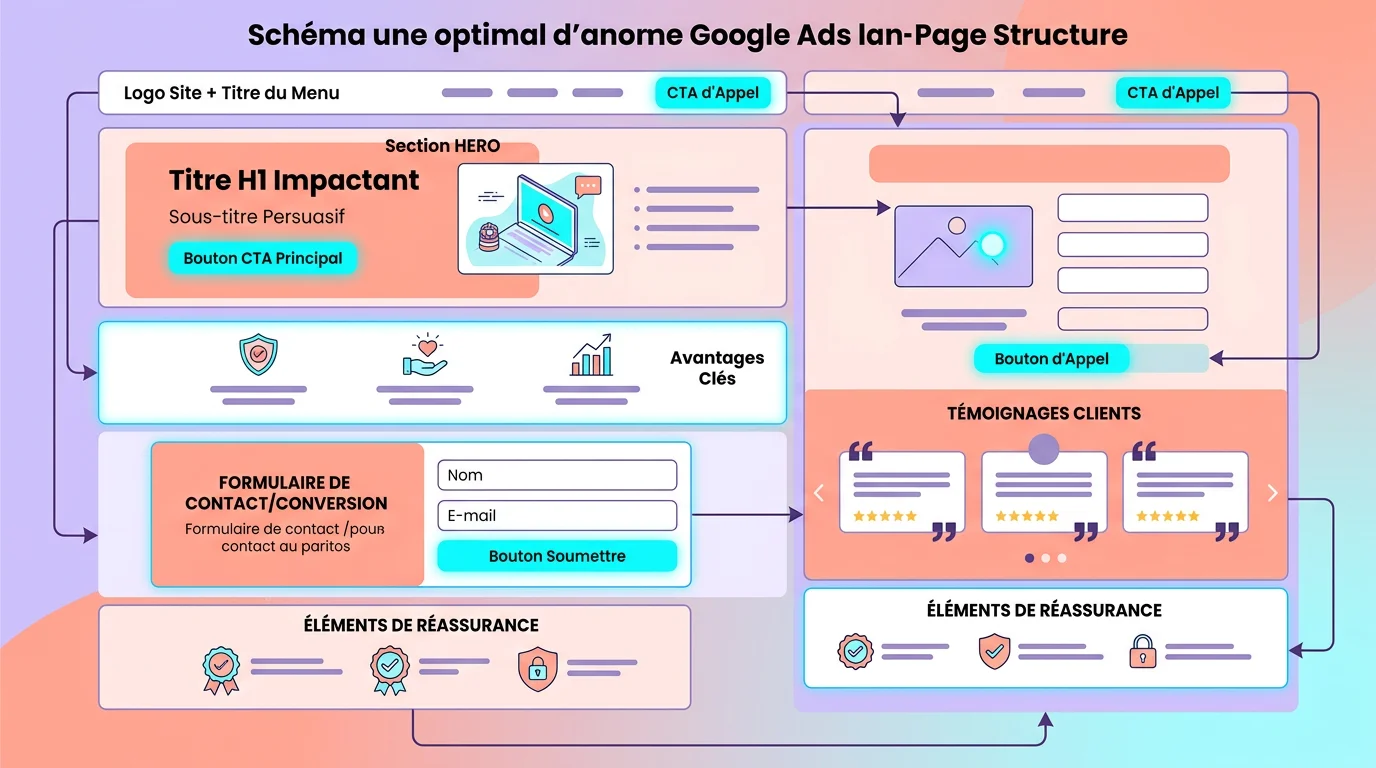
A Google Ads landing page is the page someone reaches after clicking your ad. It may be a dedicated campaign page, a product page or another relevant destination. Its job is to continue the offer and make the intended action measurable, whether that action is a purchase, a form submission or a call.
For Search campaigns, Google Ads Quality Score is a keyword-level diagnostic from 1 to 10. Its three components are expected click-through rate, ad relevance and landing-page experience. Google describes the last component as an assessment of how relevant and useful the page is to people who click the ad.
A Google Ads landing page experience review should examine relevance, usefulness, mobile usability and loading performance. For a Google Ads Quality Score landing page diagnosis, begin with the landing-page experience component rather than treating the total score as a commercial result.
Quality Score is not a KPI and is not an input in the ad auction. Use it to identify whether the keyword, ad or page deserves investigation. Judge the commercial result with conversions, conversion value and acquisition cost. A detailed landing-page guide can help with the wider page structure once the ad-to-page contract is clear.
A homepage must serve several audiences. It explains the company, presents multiple offers and supports general navigation. That breadth is useful for brand visitors but often weak for a paid search click tied to one query and one promise.
A dedicated landing page conversion should be compared with the homepage using your own campaign data, not a universal industry multiplier. The structural advantage is focus: the destination can mirror the advertised offer, remove unrelated choices and measure one primary action. Google’s own guidance recommends directing customers to the most relevant page, ideally one dedicated to the product or service highlighted in the ad.
A homepage can still be a valid destination for a brand campaign or a broad query when its content answers that intent directly. The decision depends on what the ad promises, not on the page template. Compare destinations within the same campaign context, keep the targeting stable and use the same conversion definition. Otherwise, a change in audience or measurement can look like a landing-page gain.
Consider an emergency plumber running an ad for ‘emergency plumber Lyon’. A homepage may also feature bathroom renovations and boiler installation. The visitor has to locate the urgent service again. A dedicated page can open with emergency availability, explain the service area, show a clickable telephone number and state what happens after the call.
Start with the action the page exists to produce. Google Ads conversion measurement can record a purchase, form submission, call or another event you define as valuable. Track the conversion rate by campaign, device and search intent, then compare it with the page’s own baseline. A cross-industry percentage is not a pass mark.
Measurement quality comes before interpretation. Complete each conversion path yourself, verify that the event fires once and check that Google Ads receives the action under the intended category. Separate primary actions used for bidding from secondary signals used for observation. If a thank-you page can be refreshed or a form event fires before validation, reported conversions may rise while the number of real enquiries stays unchanged. Compare the advertising report with CRM or sales records before judging the page.
Use bounce rate as a diagnostic, not a verdict. In GA4, bounce rate is the percentage of sessions that were not engaged. An engaged session lasts longer than 10 seconds, records a key event or includes at least two page or screen views. A short single-page visit can still be successful if it produces the intended call or form event.
Quality Score is a 1-to-10 keyword diagnostic. Review its landing-page experience status as Below average, Average or Above average, alongside ad relevance and expected CTR. Do not set an arbitrary minimum or treat the score as an auction input.
Average engagement time records the time the page was in focus. Interpret it against the task. A visitor can convert quickly on a quote page and need longer on a considered B2B offer. Connect these four views to the wider diagnosis in our guide to how Google Ads works, then investigate the page, ad or targeting that best explains the change.
Primary
Conversion action and rate
GA4
Bounce rate by traffic source
1–10
Quality Score diagnostic
Context
Average engagement time
A/B testing compares a control with a variant against one predefined outcome. For a Google Ads page, that outcome may be a qualified form submission, a completed purchase or a call that meets a duration rule. Decide the primary conversion before traffic reaches the test.
Change one material hypothesis at a time. If the variant changes the headline, image and form together, the result cannot tell you which decision mattered. Start with the point closest to message match: the headline and offer. Test the CTA or form only after the page states the right promise.
Write the hypothesis in plain language before building the variant. State the observed problem, the change and the result that would support the decision. Keep a record of the page version, campaign scope, dates and any external change that could affect demand. When the test ends, retain the result even if the variant loses. A test log prevents the team from repeating weak ideas and shows whether a later improvement came from the page, the audience or the offer.
Set the audience, allocation, minimum run time and decision rule before launch. The required sample depends on baseline conversion rate, the minimum effect worth detecting and the confidence level, so there is no universal visitor threshold. With low traffic, use research and observed friction to make clear fixes before running a test that cannot reach a useful conclusion.
| 01Element tested | 02Expected impact | 03Difficulty | 04Priority |
|---|---|---|---|
| 01Headline | High when message match is weak | Easy | 1 |
| 02CTA copy | Medium when the action is unclear | Easy | 2 |
| 03Button colour or position | Low unless the CTA is hard to find | Easy | 3 |
| 04Number of form fields | High when fields exceed the sales need | Moderate | 4 |
| 05Visuals and images | Medium when proof or context is missing | Moderate | 5 |
| 06Overall page layout | Potentially high, difficult to isolate | Difficult | 6 |
Headline
CTA copy
Button colour or position
Number of form fields
Visuals and images
Overall page layout
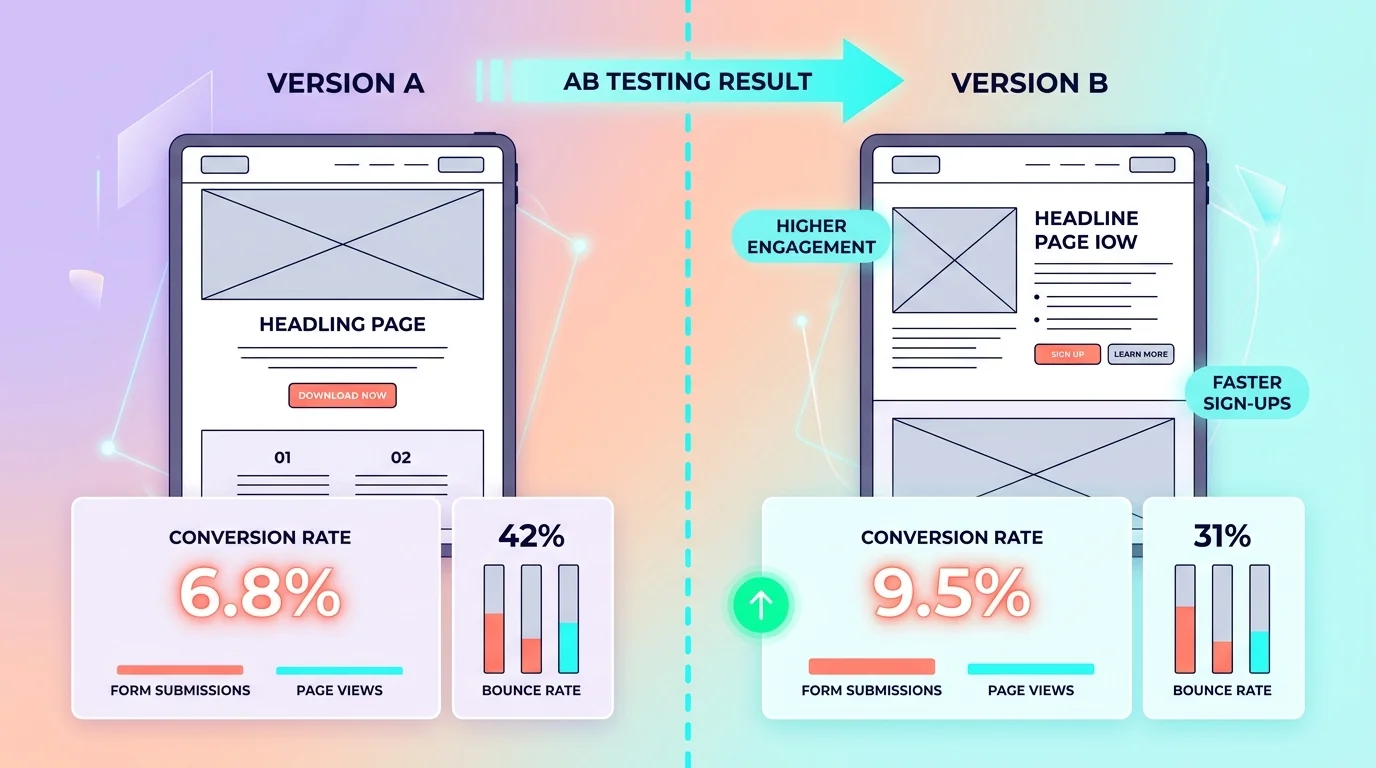
Most landing-page failures come from a broken connection in the journey. The ad sets one expectation, the page opens with another, or the measurement records an event that does not represent a useful lead. A polished design cannot repair that contract. Our page on UX Design explains the next step.
Check these mistakes before changing bids or adding campaign traffic. Each one is observable: count the competing exits, compare the offer in the ad and H1, complete the form on a phone, inspect the conversion action and review what changed since the last stable period. Our page on Website Mock-ups explains the next step.
Landing-page experience reflects how relevant and useful the destination is to people who click the ad.
Expert support becomes useful when the team cannot isolate whether the problem sits in the query, ad, page or measurement. The work combines copywriting, UX design and Google Ads analysis, but the handover should still produce decisions your team can inspect. To take this further, read Google Analytics for Your Website.
Start with commercial evidence. Compare customer acquisition cost with margin, check whether valuable actions are tracked correctly and segment the page by campaign and device. Specialist Google Ads support should then state which part of the ad-to-page journey is failing and how the proposed change will be measured.
The point of friction is not always the landing page. The ad may overpromise, targeting may attract the wrong audience or the form may ask for information the sales team does not use. A useful audit reviews the complete journey and leaves a prioritised Google Ads landing page checklist, not just a new visual design. For a practical continuation, see Website Design.
Get a free audit of your landing pages, covering Quality Score, conversion rate and ad-to-page alignment. Results within 48 hours.
Your landing page is only one part of your acquisition strategy. Several other areas deserve attention if you want to build a complete system that generates leads predictably. If you are new to online advertising, our article How Google Ads Works covers the foundations, from keyword selection and campaign structure to tracking setup.
To compare paid and organic approaches, see our Google Ads agency page. The two strategies complement each other when they work together: paid search brings immediate traffic, while SEO builds a lasting audience at a lower cost. Our guide to lead generation explains how to turn paid or organic traffic into qualified prospects with optimised forms, targeted content and email sequences for every stage of the buying journey. Finally, if you want to explore paid search beyond Google Ads, our complete overview covers the paid-search channels available to SMEs.
Last updated: Checked 24 August 2026
Keep exploring


A project in mind?
Start with a free audit grounded in your goals, website and data.
Discutons de votre projet
30 min · Google Meet
Choisissez le créneau qui vous convient dans notre calendrier. On analyse votre situation avant l’appel pour aller droit au but.
Finding available times...