

Refonte

La Refonte insights
Google Ads explained without jargon: auctions, costs, formats and an SME launch method.
Refonte

Google Ads

SEO
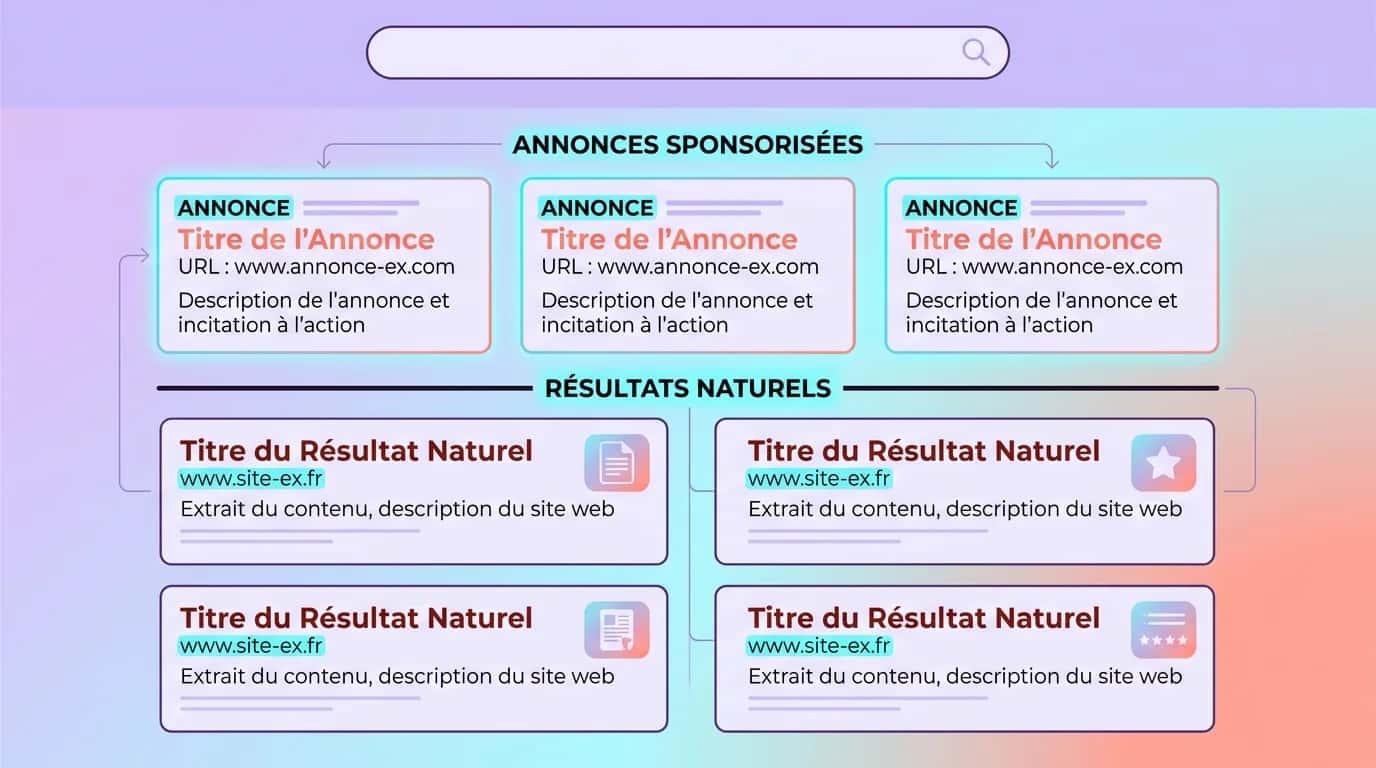
Google Ads operates as a real-time auction. For every search, Google compares eligible ads using three criteria: bid, quality and expected impact, then displays those most relevant to the user (source: Google Ads, 2026). Our page on Google Ads vs SEO explains the next step.
For an SME, Google Ads is not about appearing everywhere. It chiefly buys immediate presence for high-intent searches such as quote requests, local services, price comparisons, appointments and product purchases. It can therefore complement an SEO strategy: SEO builds lasting visibility, while Google Ads captures existing demand now.
You do not pay merely to publish an ad; you pay to enter a competition shaped by search intent. If the message is vague, the page slow or the offer unconvincing, Google may show the ad less often or charge more. Check the commercial promise, landing page and measurement before buying clicks. If these foundations are weak, begin with a website audit or review your conversion rate.
A local service business, B2B software company and online retailer use Google Ads differently. The mechanism is the same, but account structure, objectives and conversion signals change. That is why a serious Google Ads agency spends more time scoping than clicking Publish.
Figures to know before launching
3
principal ranking signals: bid, quality and expected impact (source: Google Ads, 2026)
1 to 10
Quality Score scale on Search (source: Google Ads, 2026)
2×
possible daily spend versus the average daily budget, without exceeding the monthly limit (source: Google Ads, 2026)
5
campaign families useful to most SMEs: Search, Display, Shopping, Video and Performance Max
Étape 1
Choose a measurable objective: calls, forms, sales or appointments. A campaign trying to do everything often manages nothing.
Étape 2
Start with one offer, area and conversion type. An overbroad Search campaign blurs signals in the first week.
Étape 3
Begin with keywords close to purchase or contact. Keep broader queries for separate campaigns or later.
Étape 4
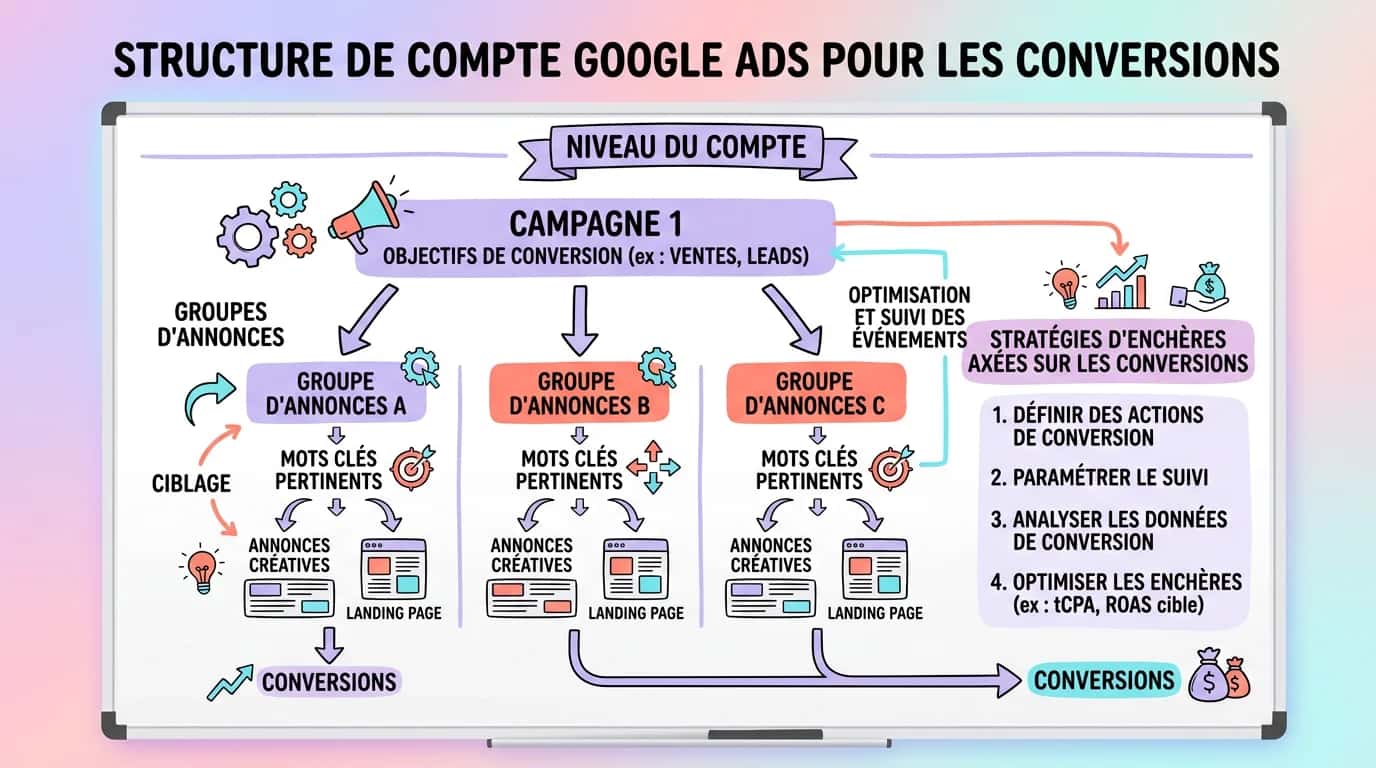
A simple account beats a spectacular one. Separate brand, generic, local, e-commerce and remarketing according to real requirements.
Étape 5
The ad should reflect the need, promise and next step. If the query asks for a quote, mention a quote rather than abstract expertise.
Étape 6
Install Google Ads conversions or imported GA4 conversions before opening spend. Without measurement, you cannot identify which queries and ads pay.
Étape 7
Choose a budget you can understand and sustain for two to four weeks. Then analyse search terms, ads, devices, locations and landing pages. Google Ads rewards managed accounts, not forgotten ones.
Google Ads does not deliver only against the keyword entered. It interprets intent through match types and query signals. Negative keywords prevent spend on irrelevant, educational or commercially worthless searches. A premium service may not want ‘free’, ‘example’, ‘template’ or ‘job’. Without filtering, the account learns badly and early CPCs give a misleading impression.
Keep a first Search campaign readable: a few ad groups, queries close to buying intent and a weekly search-terms review. Discipline matters more than keyword volume. Google Ads confirms that quality and relevance remain central to delivery (source: Google Ads, 2026). Real competence begins when you can explain why a term should be excluded, retained or moved to a dedicated campaign.
Three layers must be ready. Tracking should accurately record forms, calls, purchases, appointments and other useful conversions in Google Ads or imported GA4. Assets such as sitelinks, callouts and snippets enlarge the ad and affect Ad Rank (source: Google Ads, 2026). The landing page must be fast, clear and specific. Beginners often refine the ad and neglect the page.
The minimum checklist is: tested conversion, aligned keyword and ad, promise-specific page, visible proof, clear CTA, acceptable mobile version and easy contact. You can launch with an element missing, but you are then testing the website as much as the media platform. This prevents a weak page or incomplete tracking being mistaken for Google Ads ‘not working’.
Google Ads spans Search, Display, Shopping, YouTube and automated Performance Max campaigns (source: Google Ads, 2026). For an SME, choose by the proximity between user intent and desired action, not the format's novelty. For a practical continuation, see SEO in 2026.
For services, local B2B and lead-generation offers, Search is often clearest because users have already expressed a need. Queries, clicks, exclusions and conversions can be understood quickly.
Display serves banners on partner sites. It suits retargeting previous visitors or building brand presence in a precise audience. Cold Display with little budget and weak creative often buys diffuse visibility rather than high-intent demand.
For catalogues, Merchant Center is central. Shopping and Performance Max distribute products across placements, but only work well with reliable feeds, margins, categories and value tracking. Otherwise automation accelerates mistakes.
Video can support demonstrations, testimonials and explanations, but rarely replaces Search for direct leads. Use it for explanation and reassurance, not as a miracle shortcut. To take this further, read How to generate leads.
| 01Campaign type | 02When to use it | 03Suggested SME test budget | 04Watch out for |
|---|---|---|---|
| 01Search | When the need is already expressed on Google | €20–€80/day | Requires disciplined negative keywords |
| 02Display remarketing | When you already have traffic to retarget | €5–€30/day | Little value when the site has very few visitors |
| 03Shopping | When selling a product catalogue | €30–€150/day | Product feed and margins must be accurate |
| 04Performance Max | When tracking and assets are already sound | €30–€150/day | Partial black box, difficult to interpret without discipline |
| 05Video | When an offer must be shown or explained | €10–€50/day | Not the best starting point for highly transactional demand |
Search
Display remarketing
Shopping
Performance Max
Video
Google Ads is not inherently cheap or expensive: cost depends on purchased intent, sector, traffic quality and conversion value. Search usually charges per click; some Display or Video formats use impressions or views. Google states that an average daily budget may be exceeded by up to two times on some days without exceeding the corresponding monthly billing limit (source: Google Ads, 2026).
An illustrative locksmith serving three towns could begin with geo-targeted Search, tight hours, call tracking and a dedicated landing page. The aim is not to cover every industry keyword but immediate needs, with few ad groups, strict exclusions and a page showing area, response time and contact method.
An illustrative furniture shop with hundreds of SKUs might use Shopping or Performance Max if the feed and conversions are accurate. Poor categories, vague titles or weak mobile product pages make spend rise faster than understanding. Correct the experience before raising budget.
Inspect query quality, click-through rate, cost per conversion, conversion rate by device and alignment between ad and page. Many clicks can still conceal poor performance. Weak conversion may come from the offer, proof, speed or design rather than media. Paid-search support must therefore engage with the website, not just the ad interface.
We structure campaigns, tracking and landing pages so you understand what merely buys clicks and what generates enquiries.
Last updated: April 2026
Keep exploring


A project in mind?
Start with a free audit grounded in your goals, website and data.
Discutons de votre projet
30 min · Google Meet
Choisissez le créneau qui vous convient dans notre calendrier. On analyse votre situation avant l’appel pour aller droit au but.
Finding available times...
How the Google Ads auction really works
For every query, Google first checks whether keyword, targeting, location, device and budget make the ad eligible. If not, you are invisible. If so, it calculates Ad Rank from the bid, estimated quality and expected impact of assets such as sitelinks and callouts (source: Google Ads, 2026).
1. Intent creates the opportunity
‘Invoicing software’ does not send the same signal as ‘emergency plumber quote’. The closer intent is to action, the more valuable the click because more advertisers compete. Google Ads works well when an offer answers clear demand: the logic of paid search. Vague, educational queries risk attracting curious traffic with little buying intent.
2. Quality Score reduces or increases cost
On Search, Google displays a Quality Score from 1 to 10 as an estimated quality indicator (source: Google Ads, 2026). It reflects ad relevance, expected click-through rate and landing-page experience. A disciplined SME can sometimes beat a higher bidder whose page is weak, slow or irrelevant. Landing-page work matters as much as media setup.
3. Actual CPC is not a simple budget switch
More budget does not automatically create more leads. Actual cost depends on the market, account structure, exclusions, keyword matching and competition. Budget determines delivery capacity, not traffic quality or profitability. Without conversion tracking and search-term analysis, you chiefly buy opacity. For a practical continuation, see Customer acquisition cost.