
SEO

La Refonte insights
How to put a website into maintenance mode without damaging its search visibility: the technical procedure, correct HTTP status, CMS options and 2026 checklist.

SEO
WordPress

Maintenance
Before taking a website offline, return an HTTP 503 response and add the Retry-After header. This tells search engines that the outage is temporary. Plan a public cutover of less than 24 hours, test the HTTP response before work begins and include cache purging in the reopening procedure.
A website under maintenance is temporarily made unavailable behind a holding page. Three actions are enough: enable maintenance mode in the CMS, return an HTTP 503 response with a Retry-After header, and publish a clear holding page with an expected return time.
It is mechanical, not magical. Almost every SEO problem seen during this kind of intervention comes down to one technical detail: a 200 response returned instead of a 503, a blank page instead of a useful message, downtime that drags on for three weeks because no one planned the return, or a forgotten CDN cache that continues to serve the maintenance page after the website has gone live again.
Let us look at exactly what you need to do. This article covers maintenance mode, a temporary state that can be switched on and off, rather than a website's routine maintenance programme. The two are often confused, so we will clarify the difference next. By the end, you will know how to take a website offline, carry out the work and bring it back while limiting the risk to your Google visibility and your visitors.
A short, prepared maintenance window can be handled internally. A long cutover, a high-traffic website or a team without server access requires a more formal method or external support.
| 01Handle internally | 02Build internal capability | 03Delegate |
|---|---|---|
| 01Prepare the holding page, verify the 503, complete the work and purge every cache | Understand the SEO impact, inspect responses and prepare the return to service | Scope staging, backup, cutover and post-launch monitoring |
| 02Follow the three-step procedure | Read the WordPress SEO guide | Explore website maintenance support |
Prepare the holding page, verify the 503, complete the work and purge every cache
Maintenance mode is temporary: your website displays a holding page during an intervention such as a major update, migration, partial redesign or critical debugging. It typically lasts from a few minutes to a few hours. Think of it as an on/off switch. Our page on wordpress website redesign explains the next step.
Routine maintenance is an ongoing programme: security updates, backups, monitoring, performance optimisation and broken-link checks. The website remains online while this work takes place. It is a continuing service, not a one-off event.
Confusing the two leads to costly mistakes. Taking a website offline for a straightforward WordPress plugin update is unnecessary and can harm SEO. Conversely, carrying out a major migration without maintenance mode risks corrupting data if a visitor performs an action while the database is being copied. For a practical continuation, see WordPress Multisite.
As a practical rule, enable maintenance mode if the intervention changes the database, production code or critical files. Leave the website online if the work only affects the back office or passive optimisations. Routine maintenance falls into four categories, explained below and in our complete guide to website maintenance.
Website maintenance falls into four categories: preventive, corrective, perfective and security maintenance. Each can take place without taking the website offline. Maintenance mode is only necessary when an operation presents a risk to visitors, orders or data.
This reduces the likelihood of a failure. It includes tested backups, monitoring, certificate checks, scheduled-task reviews and the removal of unused dependencies. Its purpose is to identify a problem before it becomes an incident.
This fixes an identified fault: a form that will not submit, a payment error, an unavailable page or a display problem. Priority depends on impact. A minor bug can wait for a normal maintenance window, while a checkout error requires immediate attention.
Perfective maintenance adds or adapts functionality. It may change a user journey, connector or template. Security maintenance fixes a vulnerability, updates a dependency or restricts access. They remain distinct categories, even when the same release includes both kinds of change.
Aim for downtime of less than 24 hours. A 503 response with Retry-After indicates that the outage is temporary, but Google does not guarantee that it will have no effect. Its current documentation advises against returning server errors for more than one or two days. After several days, crawling slows down and some URLs may drop out of the index. From 48 hours onwards, treat the maintenance period as an SEO incident and accelerate the return to service.
An intervention lasting from a few minutes to one day usually gives search engines few opportunities to encounter the outage. Check every response nonetheless: all unavailable URLs should return a 503, Retry-After should match the advertised return time, and the essential assets used by the holding page must remain accessible. Monitor sales, forms and inbound calls too, because the commercial risk begins before the SEO risk.
This exceeds Google's recommended window. Monitor server errors and crawl statistics in Search Console, then review the logs to see which URLs Googlebot is actually requesting. Give customers a realistic return time and restore essential pages first if the entire website cannot be brought back at once. Retry-After does not make an extended outage consequence-free.
After several days, Google may temporarily remove URLs from its index. Returning visitors also face a prolonged service interruption. Keep production available while the team works in a private staging environment protected from indexing and users. The public outage should cover only the final data synchronisation, checks and cutover.
For a redesign or complete transfer, our website migration guide explains how to prepare URLs, redirects and a rollback plan. Before the intervention, record your crawl data, highest-converting pages and main contact channels. You will then have a reliable baseline for comparison after the website returns.
Return a 503 on every unavailable URL, add a consistent Retry-After value and check the response. Risk is limited, never guaranteed to be zero.
Googlebot may slow its crawling. Monitor Search Console and your logs, then prioritise the restoration of critical pages.
URLs may drop out of the index. Keep production online, work in a private staging environment and shorten the final cutover.
A website migration may require a short freeze while the final data is copied. A partial redesign may alter templates or the database schema. A major update may make the theme or some modules incompatible.
Fixing a vulnerability sometimes requires logins to be blocked while a component is replaced and logs are reviewed. Changing hosting providers can also require a brief cutover, particularly if the data continues to change during the transfer.
In every case, prepare the work in a staging environment. Maintenance mode should protect a short, controlled phase. It should not become a public development environment for days on end.
Étape 1
Write the offline page first: include your logo, a short message such as 'Our website will be back at 2 pm. Thank you for your patience', the expected return date and time, and an email address or phone number. Host it on a secondary domain or serve it as static HTML. Never leave a blank page: it is the most common mistake.
Étape 2
WordPress: enable a plugin such as LightStart, WP Maintenance or SeedProd. PrestaShop: Preferences > Maintenance > Enable shop, then add your IP address under 'Maintenance IP'. Drupal: /admin/config/development/maintenance. Joomla: System > Global Configuration > Site Offline.
Étape 3
Open DevTools (F12) and select the Network tab, or use httpstatus.io. The response must be 503 Service Unavailable, not 200 OK. If your plugin returns a 200, add a temporary header.php containing: header('HTTP/1.1 503 Service Unavailable'); header('Retry-After: 7200');
Étape 4
Complete the update, migration or fix. Before reopening the website to everyone, test the key pages, including the homepage, blog, basket for an ecommerce website and forms, in a private session. Check the sitemap and Google Search Console as well to identify any potential issue.
Étape 5
Disable the plugin. Clear every cache: Cloudflare, your CDN, server caches such as Varnish or LiteSpeed, and CMS caches such as WP Rocket or PrestaShop's built-in cache. Without a purge, some visitors, and Google, may continue to see the maintenance page for hours.
For temporary unavailability, Google recommends returning a 503 Service Unavailable response. The Retry-After header can indicate when the service is expected to become available again. This helps crawlers distinguish maintenance from permanent removal, although it does not guarantee rankings or indexation.
Why does this precision matter? A 200 OK says that the response is normal, so a search engine may treat the holding page as the content of the URL. A 404 or 410 says that the resource is missing. A 500 indicates an unplanned internal error. None of these statuses accurately describes a temporary, controlled interruption.
A 503 means that the server is temporarily unable to handle the request because of overload or maintenance. Googlebot may slow its crawling and return later. The Retry-After value remains advisory: a client or crawler is not required to return at that exact time.
RFC 9110 defines two formats for Retry-After: a complete HTTP date, such as Retry-After: Wed, 12 Aug 2026 06:00:00 GMT, or an integer delay in seconds, such as Retry-After: 7200 for two hours. A delay works well for a short intervention, while an explicit date makes a planned maintenance window easier to understand.
One important limitation: Google advises against returning server errors for more than one or two days. After several days, affected URLs may drop out of the index. For a longer project, build and test in a private staging environment, keep production online, and reserve the 503 response for the final cutover.
An unplanned 503 is an incident, not maintenance mode. Check server CPU and memory load first, then inspect the error logs. Disable the latest plugin or deployment if the problem appeared immediately after a change.
Next, clear CMS, server and CDN caches. An old rule may keep serving the holding page even though the application is running. Check several URLs in a private browser session and through an external HTTP checker.
If the 503 persists, restore the latest working backup or contact the hosting provider with the exact time and relevant logs. Once fixed, the homepage and priority URLs must return 200 again. Finally, verify the sitemap and Search Console.
| 01CMS | 02Recommended option | 03Native 503 response | 04Customisation |
|---|---|---|---|
| 01WordPress | LightStart, WP Maintenance Plugin, SeedProd | Depends on the plugin (LightStart: yes) | Extensive |
| 02PrestaShop | Preferences > Maintenance (built in) | Yes | Limited (template must be edited) |
| 03Drupal | Built-in maintenance mode (/admin/config/development/maintenance) | Yes | Good (Twig) |
| 04Joomla | System > Site Offline (built in) | Yes | Limited |
| 05Shopify | Password page (Online Store > Preferences) | No (returns 200) | Limited |
| 06Webflow | Site Settings > Publishing > Unpublish | Non-standard | Extensive (custom page) |
| 07Bespoke website | .htaccess rule or server middleware | Must be configured manually | Complete |
WordPress
PrestaShop
Drupal
Joomla
Shopify
Webflow
Bespoke website
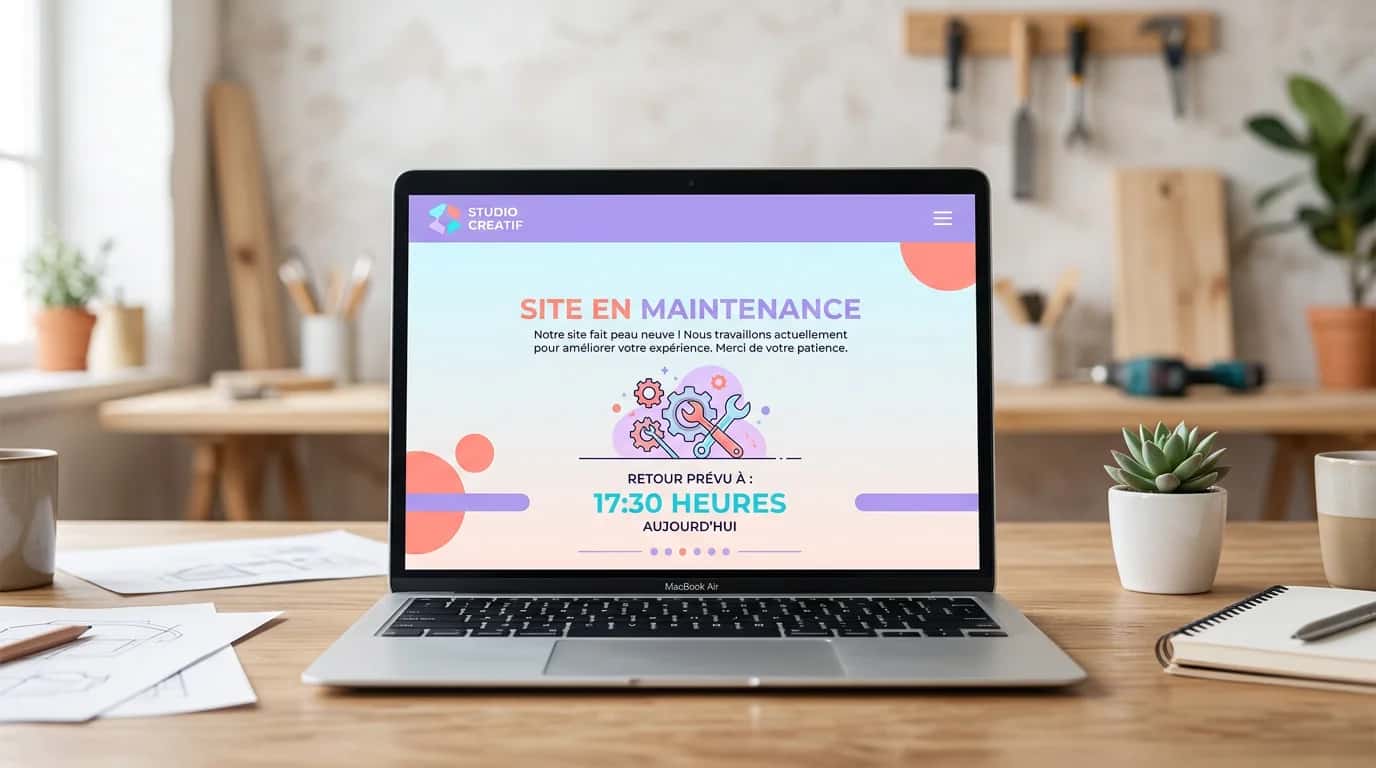
The website is offline. You have a few hours, perhaps a few days. Use that window intelligently instead of simply 'running the update' and hoping for the best.
Before changing anything, export the database and copy the entire wp-content directory, or its equivalent in your CMS. Store these files locally AND in cloud storage such as Drive, Dropbox or S3. A backup on the same server is useless if that server fails.
Ideally, work in staging rather than directly in production. Reproduce the environment, make the update and test it. This is the only reliable way to avoid panic when a plugin breaks 30 minutes after the website goes offline.
This is a rare window when no one is using the website. Make the most of it: audit performance, remove unused plugins and inactive themes, optimise images in bulk and review file permissions. Resource-intensive tasks that slow down a production website are easier to complete during maintenance.
During the outage, draft the blog article or LinkedIn post that will announce, 'We are back with these new features.' Turning maintenance into a communication event helps recover some of the visibility lost through downtime.
A lengthy intervention requires more than a holding page: a staging environment, a restorable backup, a rollback procedure, HTTP response checks, a communication plan and monitoring after the website returns. Our website maintenance service can manage this technical framework when your team lacks the time or access required.
If the website depends heavily on Google, begin by measuring the URLs, queries and conversion pages that must not disappear. Our SEO studies establish that baseline and help assess the impact after the cutover. The objective is not to promise zero risk, but to detect deviations quickly and retain the ability to roll back.
Our team manages technical interventions, security updates and maintenance-mode cutovers for SMEs. Monthly plans, prompt intervention, a properly configured 503 and no unnecessary downtime.
Last updated: 11 August 2026
Aim for less than 24 hours and return an HTTP 503 response with Retry-After. This limits the risk without guaranteeing that there will be no effect. Google currently advises against returning server errors for more than one or two days. After several days, some URLs may drop out of the index, so use a private staging environment and keep the public cutover short.
Keep exploring

A project in mind?
Start with a free audit grounded in your goals, website and data.
Discutons de votre projet
30 min · Google Meet
Choisissez le créneau qui vous convient dans notre calendrier. On analyse votre situation avant l’appel pour aller droit au but.
Finding available times...