

SEO

La Refonte insights
WordPress Multisite lets you manage several websites from a single WordPress installation. Chosen well, it reduces maintenance and speeds up deployment; chosen poorly, it concentrates risk and limits autonomy.
SEO

WordPress
Maintenance
WordPress Multisite is the platform's native network mode. Part of WordPress core since 2010, it lets you run several websites from one installation. It becomes cost-effective when those websites share the same governance, technology stack and operating rules.
The useful question is therefore not how to enable it, but why you should enable it. WordPress powers 43.1% of the web in 2026, making it a production standard for brand groups, education networks, franchise networks and local publishers (source: W3Techs, 2026). Multisite offers a genuine advantage when you need to deploy the same foundation across several entities without rebuilding a complete WordPress installation each time.
Conversely, if every website needs its own plugins, release cycle and substantial editorial freedom, the network can quickly become a false economy. You need to define the architecture, roles, backup strategy and SEO rules before any migration. If you are preparing to move from a conventional website, read our WordPress migration guide and see how WordPress Multisite support can make the project safer.
WordPress Multisite in four useful figures
43.1%
of websites use WordPress (source: W3Techs, 2026)
2010
the year Multisite became part of WordPress 3.0 (source: WordPress.org, 2025)
2
native URL structures: subdomains or subdirectories (source: WordPress.org, 2025)
96.7%
of reported WordPress vulnerabilities affected plugins in 2024 (source: Patchstack, 2025)
| 01Option | 02Maintenance | 03Local autonomy | 04SEO and governance | 05When to choose it |
|---|---|---|---|---|
| 01Single WordPress website | Simple | Low | Very straightforward | You have only one brand or one website |
| 02WordPress Multisite | Shared | Medium | Very effective when the rules are shared | Several similar websites with central administration |
| 03Separate installations | More demanding | High | Ideal for distinct SEO strategies | Each website has its own plugins, teams or operational constraints |
Single WordPress website
WordPress Multisite
Separate installations
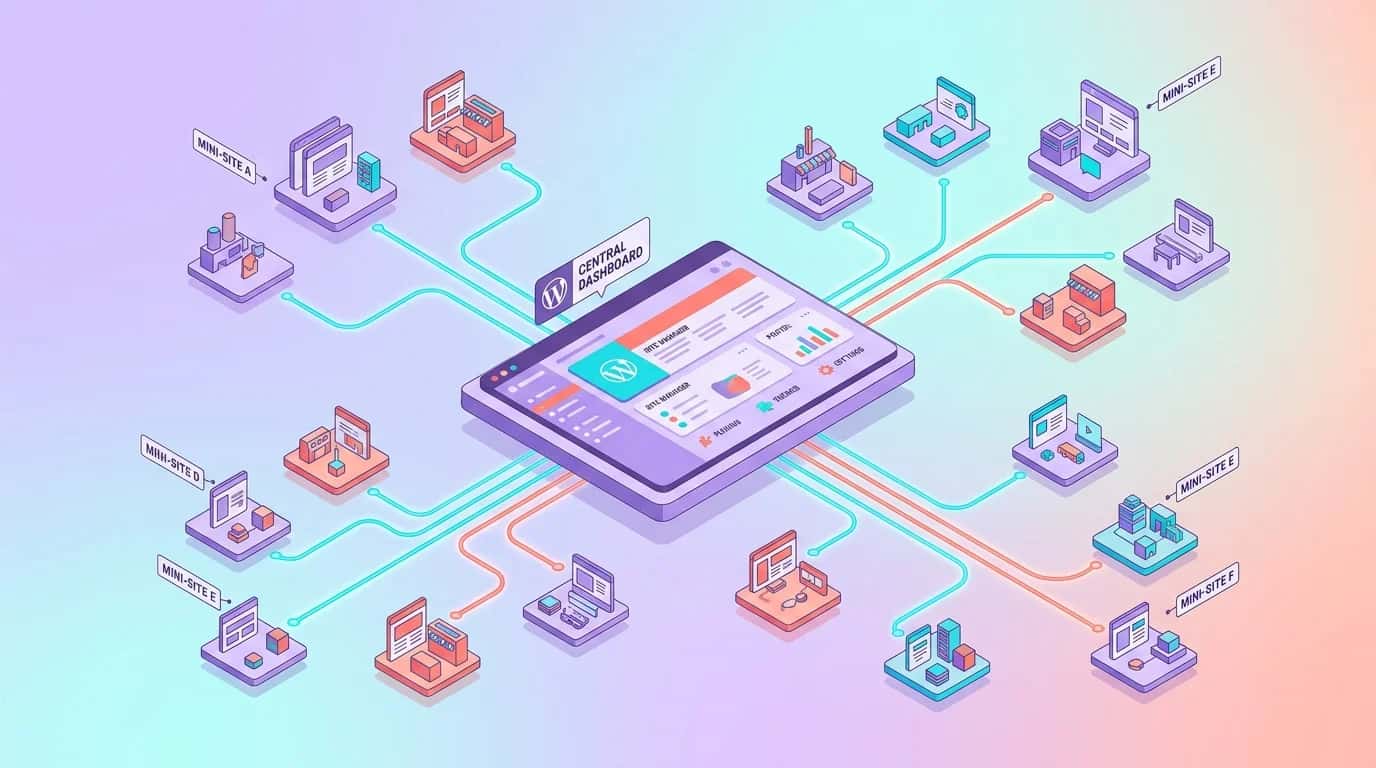
WordPress Multisite works particularly well in four situations. First, a group launching several brand websites with the same visual identity, plugins and technical team. Second, a franchise network that needs to open local microsites quickly. Third, a school or university that wants a website for each department without duplicating all its maintenance. Fourth, a local publisher adapting a shared editorial foundation for different areas. In these scenarios, technical debt falls because you maintain one WordPress core, one set of themes and one security framework (source: WordPress.org, 2025).
WordPress Multisite becomes a poor choice as soon as requirements diverge too far. If one website needs WooCommerce, another needs a learning platform, a third uses a heavy page builder and a fourth follows very different SEO rules, the network concentrates conflict. Every network activation, critical update and server configuration change then has network-wide consequences. You gain standardisation but lose local flexibility. This is precisely why some projects are better served by separate installations, with maintenance made efficient through a structured WordPress maintenance service.
Governance is the deciding factor. If a central team controls plugins, themes, accounts and the update calendar, Multisite is often a useful lever. If every entity insists on autonomy, forced consolidation is best avoided. Google also explains that a website can perform well on either a subdomain or a subdirectory when its architecture remains clear and consistent. The issue is not the technical format, but crawlability and editorial control (source: Google Search Central, 2024).
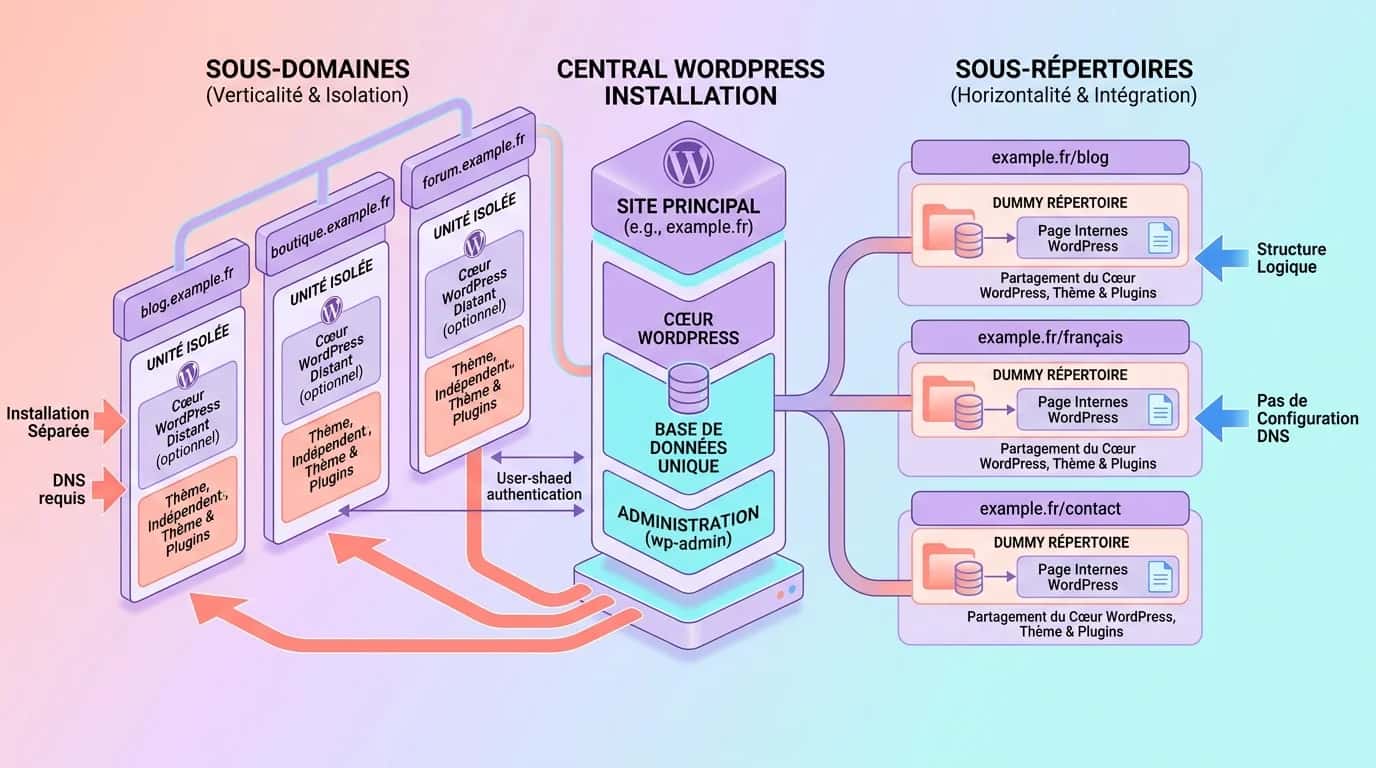
WordPress Multisite offers two native structures: subdomains such as city.example.com and subdirectories such as example.com/city/. The right choice depends mainly on your organisation, not an imagined SEO advantage. Google has said for years that it can handle both models. Clear signals, consistent internal linking and stable URLs matter far more (source: Google Search Central, 2024). If you have a strong umbrella brand and a centralised editorial team, subdirectories will often make operations simpler.
Subdomains are useful when each entity has its own identity, local team or specific application hosting requirements while remaining part of a shared technical network. They can also be clearer when access is delegated to several regional managers. Subdirectories are well suited to country, language or service variations, particularly if you want a compact site structure. In either case, you need firm decisions on DNS, SSL, redirects, sitemaps and content strategy. Our WordPress SEO guide and article on WordPress sitemaps will help you avoid many common mistakes.
A third option is domain mapping, which connects separate domains to websites within the network. It is powerful for franchises or acquired brands, but adds an operational layer involving certificates, DNS, Search Console, analytics, cookie policies and content governance. Without a team able to document these areas, the operational debt soon outweighs the benefit of sharing the platform. A poorly planned URL decision is always more expensive to correct after launch.
Étape 1
Take a complete backup, record the existing DNS rules and prepare a rollback plan. Without these precautions, a simple rewrite-rule conflict could take the whole network offline.
Étape 2
Decide now between subdomains, subdirectories and domain mapping. Reversing the decision after indexation, analytics setup and internal linking is far more expensive than an hour of planning at the outset.
Étape 3
List the extensions that must be enabled across the network and those that should remain optional on individual websites. Check licences and Multisite compatibility before going any further.
Étape 4
Add the activation constant to wp-config.php, create the network in the administration area, then copy the suggested rules exactly into wp-config.php and .htaccess.
Étape 5
Test a representative website with its own menu, users, media, sitemap and redirects. The pilot will reveal theme, caching and plugin conflicts before you scale.
Étape 6
A network without a clear operating model soon becomes chaotic. Record who manages themes, publishes content, creates users, approves plugins and responds to incidents.
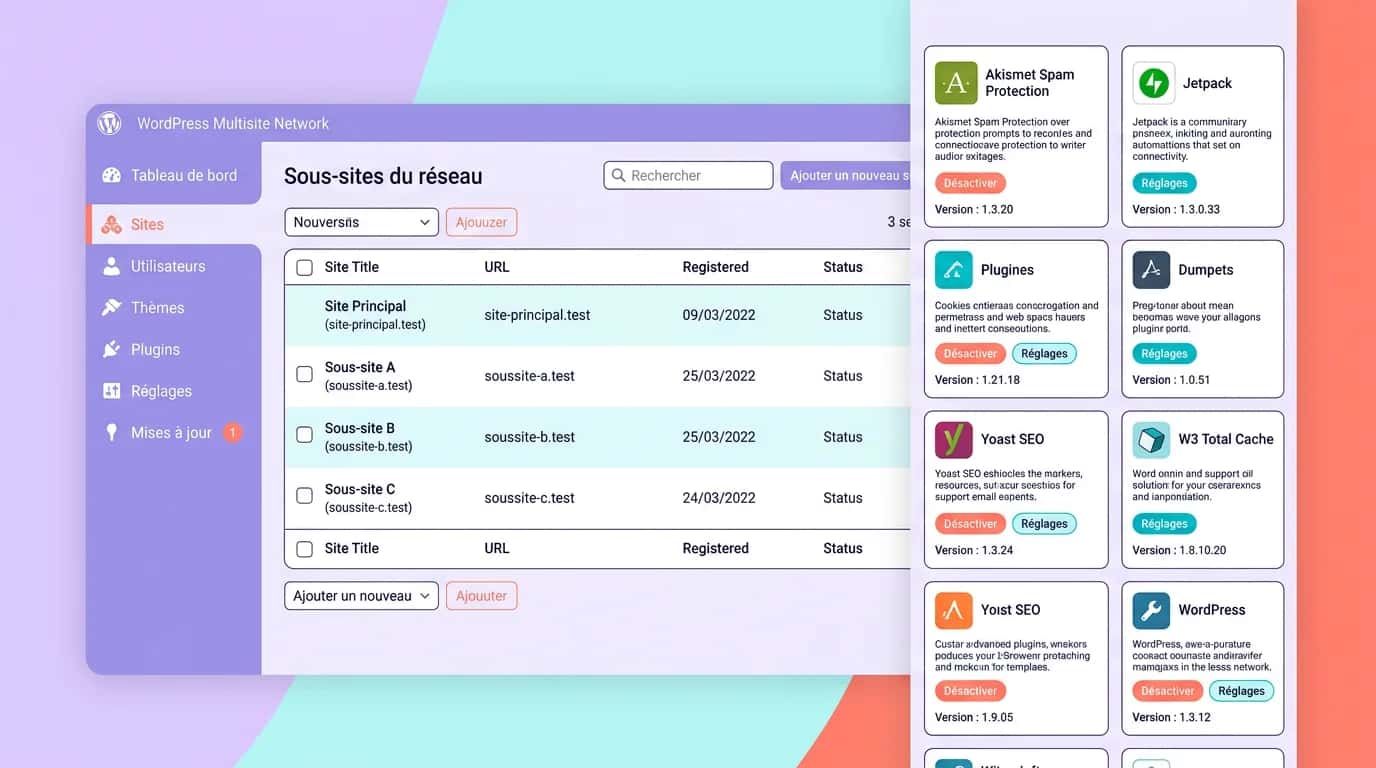
A well-installed Multisite network can still become unmanageable if you fail to distinguish clearly between the super administrator's responsibilities and those of local teams. The super administrator controls the foundation: themes, extensions, website creation, security policy, backups and caching rules. Individual website administrators mainly manage content, pages, menus and local users. This division prevents a one-off editorial request from becoming a risky network-wide change (source: developer.wordpress.org, 2025).
Plugins are the main trap. In 2024, 96.7% of reported WordPress vulnerabilities affected extensions, confirming that a poorly controlled network plugin estate can increase the attack surface instead of reducing it (source: Patchstack, 2025). On Multisite, you must decide for every plugin whether it should be activated globally, made optional for individual websites or prohibited. This is also why a network needs a security policy and patching procedures, as explained in our article about WordPress security.
Support also needs to be systematic. A ticket about a missing menu, broken form or slow page should immediately reveal whether the problem comes from one website, the shared theme, a network plugin or the infrastructure. Diagnosis becomes slow without logging and clear conventions. The healthiest networks therefore document versions, roles, dependencies and the support chain. To retain Multisite's speed without being overwhelmed by its complexity, treat the network as a product rather than a loose collection of microsites.
| 01Element | 02Suitable for a network when... | 03Warning sign |
|---|---|---|
| 01SEO plugin | settings can be controlled for each website | a global configuration overrides local editorial requirements |
| 02Caching plugin | server rules and exclusions are centralised | each website requires a different caching strategy |
| 03Shared parent theme | the visual identity and components are genuinely standardised | local teams request substantially different templates |
| 04WooCommerce | use is simple and highly consistent | catalogues, payments or commercial rules differ substantially |
| 05Media and forms | libraries and workflows remain separate for each website | you plan to pool them without clear governance |
SEO plugin
Caching plugin
Shared parent theme
WooCommerce
Media and forms
Multisite is neither inherently good nor bad for SEO. What matters is the quality of the signals sent by every website: metadata, content, internal links, canonical tags, sitemaps, Search Console settings and indexation policy. Above all, Google recommends a clean architecture and consistent signals. A poorly managed website within a network remains a poor website even when it shares the same technical foundation (source: Google Search Central, 2025). Each website therefore needs its own editorial logic, pillar pages and crawl controls.
Performance follows the same principle. Sharing WordPress core can simplify optimisation, but one badly configured plugin or an excessively heavy theme can degrade several websites at once. Caching, the database, cron jobs, media and extension policies therefore require even greater scrutiny than on a single installation. If you already publish editorial content across several entities, our WordPress SEO guide and article on WordPress sitemaps provide a sound framework for standardising these areas.
Security is more demanding on a network because a network-wide incident has a larger impact. A vulnerability in a network-enabled plugin, an incorrect role or a misapplied server rule can affect every website at the same time. WordPress.org therefore recommends tightly limiting authorised extensions, testing updates in a pilot environment and continuously monitoring the network (source: WordPress.org, 2025). Multisite reduces fragmentation; it never removes the need for operational discipline.
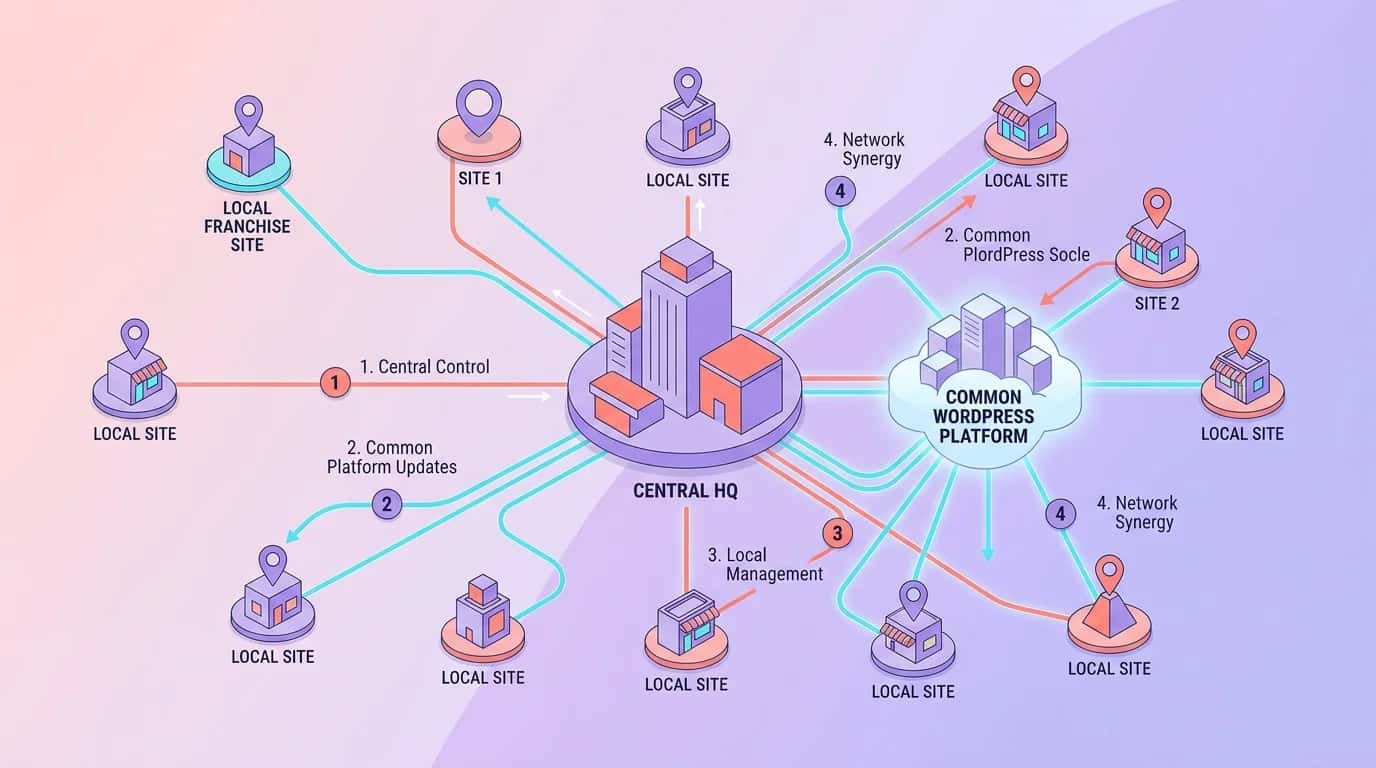
Multisite creates value when it solves a measurable operational problem. In our projects, it rarely transforms the content itself; what it can do very quickly is reduce maintenance time, fragmented tooling and the delay involved in opening a new website. This is particularly true when a head office or central team wants to impose a shared framework while allowing local entities to control their pages, menus and news.
By contrast, projects that treat Multisite as a shortcut around proper governance nearly always run into conflict. Without a plugin policy, support rules and clearly defined roles, the promised simplification disappears within weeks. The two examples below illustrate the dividing line: in the first, the network replaces needless technical repetition; in the second, it supports rapid local expansion on a shared foundation. In both cases, governance makes the project successful, not the technical option alone.
“We had 11 nearly identical WordPress websites for our education centres. After moving to Multisite, monthly maintenance fell from 14 hours to four, and opening a new centre went from half a day to under 45 minutes.”
The requirement was operational rather than editorial. All 11 websites shared the same visual identity, forms, theme and institutional pages. Yet opening each new centre required the team to duplicate a website, recreate the settings manually and repeat the security checklist. Moving to Multisite centralised updates, standardised page templates and reduced configuration drift. The result was ten hours of maintenance saved each month and a launch time more than six times shorter.
Governance was the key. Head office retained control of plugins, the theme and page templates, while every centre managed its opening hours, news and registrations. Without this division of responsibilities, the network would soon have been challenged. This example shows that Multisite works very well when local variations remain editorial and the technology can stay centralised.
“For our network of 18 branches, Multisite reduced update-related tickets by 72% and let us deploy a new local service page across the network in under two hours rather than three days.”
Here, the value came from commercial deployment. Every branch needed its own contact details, portfolio and local content, while the brand wanted to control design, calls to action, metadata and the SEO foundation. Multisite made this possible through a shared theme, shared components and local configuration limited to the blocks that genuinely mattered. A new national campaign could be rolled out across 18 websites within half a day, with centrally managed content then adapted locally.
The mistake would have been allowing every branch to install its own extensions. The central team therefore limited plugins, documented roles and introduced a strict acceptance process before opening each new website. As a result, maintenance tickets caused by technical inconsistencies fell by 72% in three months, while the network achieved greater brand consistency without suppressing local needs.
The first mistake is choosing Multisite for the wrong reasons. Many teams enable it simply because they operate several websites, without asking whether those websites should genuinely share the same governance. Local requests then accumulate, exceptions multiply and the network becomes an obstacle instead of an accelerator. If a project requires substantial freedom over plugins, themes or editorial cycles, acknowledge that early and retain separate installations.
The second mistake is operational: enabling the network without a procedure. No pilot website, no documentation, no role matrix, no per-website backup policy and no support framework. This is the fastest way to turn an architecture intended to simplify operations into a source of incidents across the network. A healthy Multisite setup requires production discipline, just like an application shared by several teams.
We assess your requirements, validate the right architecture and make the network launch safer, covering URL structure, plugins, roles, SEO, caching and maintenance.
Last updated: April 2026
Keep exploring

A project in mind?
Start with a free audit grounded in your goals, website and data.
Discutons de votre projet
30 min · Google Meet
Choisissez le créneau qui vous convient dans notre calendrier. On analyse votre situation avant l’appel pour aller droit au but.
Finding available times...