

SEO

La Refonte insights
Use this complete website redesign checklist to protect your SEO and keep the project on track, from the initial audit through to post-launch monitoring.
SEO
Refonte

IA
A website redesign is a complex project with technical, visual and commercial implications. Changing the design without considering SEO, migrating the CMS without preparing redirects, or starting again without analysing the existing site are all avoidable mistakes that cost traffic and money. This website redesign checklist covers nine essential steps, with practical checks for every phase. It is designed for small-business owners, marketing managers and anyone leading a redesign without a dedicated technical team.
A website redesign involves restructuring and modernising an existing site so that it better meets current web standards and visitors' expectations. Unlike building a site from scratch, a redesign retains useful assets such as the domain name, product database and high-performing content, while rethinking the architecture, design and performance. According to a Sweor study (2025), 75% of internet users judge a company's credibility by its website design. An ageing site therefore sends a negative signal before a visitor has read a single line. A redesign is a strategic response to that reality, not merely a cosmetic facelift.
Before you begin, define the exact scope of the project. Confusing a visual refresh with a technical redesign leads to underestimated budgets and timelines. There are four broad categories, each with its own implications:

Web standards evolve quickly. A site built in 2018 with no major updates will often have poor Core Web Vitals, a weak mobile experience and a dated design. Google has considered these signals in its algorithm since the Page Experience update in 2021, strengthened in 2023. User expectations have changed too: 53% abandon a mobile page that takes more than three seconds to load (Google, 2024). A redesign becomes necessary when these problems hold back conversions or rankings stagnate despite sustained content work.
This is the complete process for delivering a website redesign. Each step is a distinct project phase with clear deliverables. Following this order avoids expensive rework and protects existing organic rankings. For a detailed look at every phase, read our guide to the stages of a website redesign.

The project specification is the foundation of your redesign. Without it, each contributor, including the agency, developer and designer, works from different assumptions, creating misunderstandings and revisions along the way. It should set measurable objectives, such as a target conversion rate, desired SEO positions and a maximum load time, as well as the budget, timeline, technical constraints, hosting, required CMS, third-party integrations and user personas. Our website redesign specification guide includes a complete template you can adapt.
The audit is the most underestimated stage of a redesign. Rebuilding a website without examining what is already there is like rebuilding a house without knowing which parts are structurally sound. The audit covers four areas: technical performance, including Core Web Vitals, load times and crawl errors; SEO, including ranking URLs, backlinks and content structure; UX, including bounce rates by page, conversion paths and heat maps; and content, including pages to retain, merge or remove. According to Ahrefs (2025), 90.63% of web pages receive no organic traffic from Google, often because they have never been audited or optimised. Our website audit guide explains the tools and method step by step.
The site structure defines how visitors will navigate the new website. A strong structure meets two criteria: it is intuitive for users, who can find what they need within two or three clicks from any page, and logical for Google, with important pages close to the root and internal links distributing authority. In practice, first map the content hierarchy on paper or in MindMeister, validate it with three to five target users through a card-sorting exercise on CardSorting.io, then refine it before development begins. Changing the structure after development is expensive in both time and redirects.
The design phase begins with a creative brief documenting the brand identity, including visual guidelines, typefaces and colours, alongside references to websites that inspire you. Designs progress through several levels: low-fidelity wireframes to approve the structure, high-fidelity mock-ups to approve the visual direction and an interactive prototype to test key journeys. Good web design in 2026 follows WCAG 2.2 accessibility principles, incorporates design-system tokens for cross-device consistency and provides dark and light variants where relevant. Nielsen Norman Group (2024) reports that users spend 80% of their time looking at the left half of a page, so the visual hierarchy should take that behaviour into account. For conversion-focused projects, our 7-step SEO redesign method explains the UX principles that affect rankings.
Staging is an isolated development environment, accessible only to the project team, where the new site can be built and tested without affecting the live version. It is a necessity, not an optional extra. Without staging, fixing every bug on the live site creates a risk of downtime and a poor visitor experience. Block search engines from the staging environment using a robots.txt file with Disallow: / and a noindex meta robots tag, so that Google does not index an incomplete version before launch. Migrate content, images and metadata to staging, then approve every page before switching over.
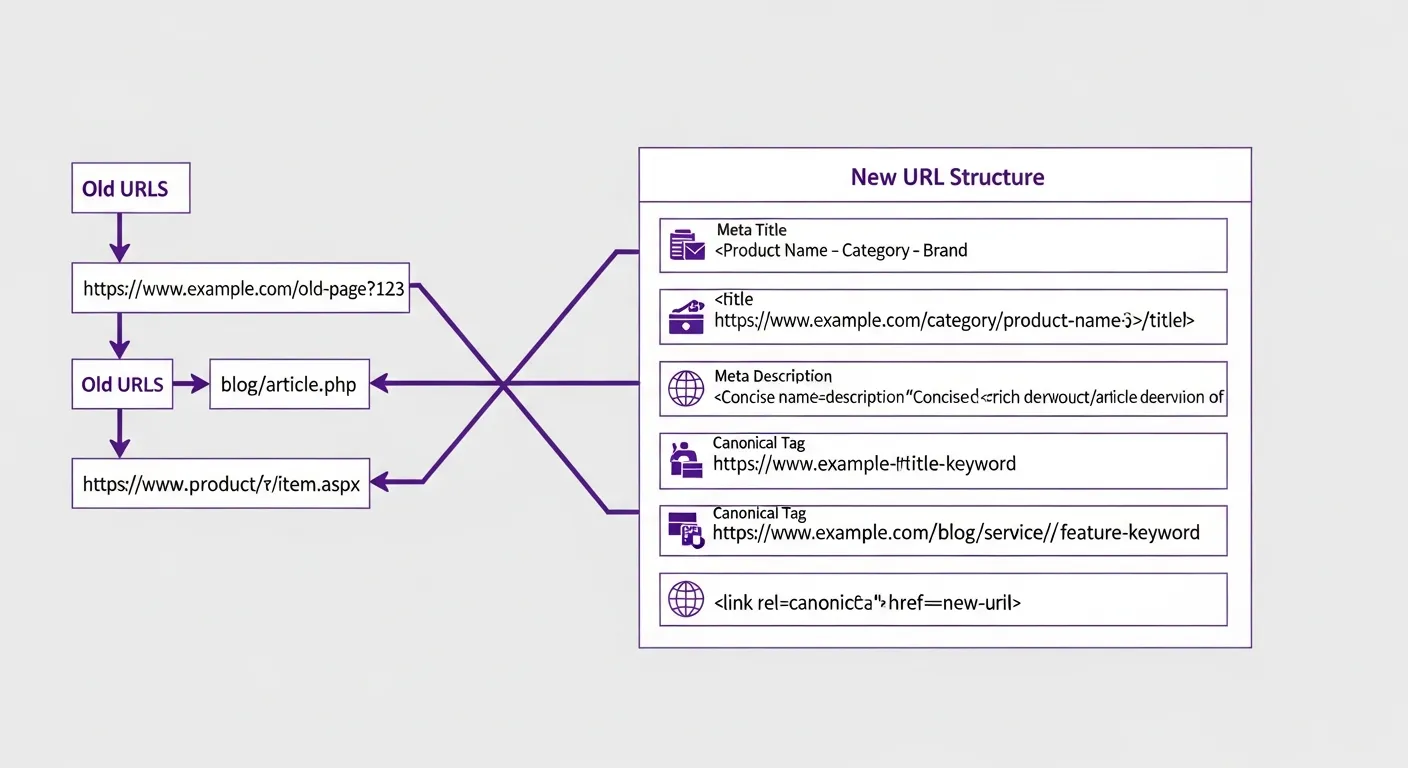
This is where most redesigns lose traffic. If a URL changes without a 301 redirect, Google loses the value of its inbound links and history. The resulting fall in rankings can last three to six months. According to a Semrush analysis (2025), 68% of sites that lost traffic after a redesign had no complete redirect plan in place when they launched. The absolute rule is to map every old URL to its new destination before launch day. Screaming Frog and Google Search Console let you export all indexed URLs. Every URL with Search Console clicks in the past 90 days is critical and needs a redirect. You should also optimise the meta title and description on each new URL while retaining the keywords that already rank. Our 7-step SEO redesign method covers redirect planning and validation checks.
A redesign without a redirect plan can lose 40% to 60% of its organic traffic within weeks. Every changed URL without a 301 redirect represents an immediate loss of ranking value.
During implementation, the approved designs are turned into a working website. The build must follow clear standards for performance, accessibility and maintainability. For performance, optimise images as WebP with lazy loading, minify CSS and JavaScript, and load fonts asynchronously. For accessibility, image alt text, form labels and keyboard navigation are WCAG 2.2 prerequisites. Test compatibility across Chrome, Firefox, Safari and Edge, as well as desktop, tablet and mobile devices, using real devices rather than DevTools alone. Lighthouse, built into Chrome, can validate Core Web Vitals throughout development.
Before launch, a complete test cycle confirms that the site works as intended in every scenario. Do not cut this phase to save time: a production bug costs four to five times more to fix on average than one found in staging (NIST, Software Defect Cost Report 2024). Testing covers business-critical features such as forms, checkout and customer accounts; performance in Lighthouse and GTmetrix on priority pages; browser compatibility; and accessibility. A formal acceptance checklist, signed by the client before launch, protects everyone involved and prevents post-launch misunderstandings.
Launch is not the end of the project; it marks the start of measurement. The first few weeks after a redesign are critical for SEO: Google recrawls the new URLs, reassesses the structure and may temporarily move rankings. Daily monitoring in Google Search Console for the first 30 days lets you spot traffic falls quickly and identify URLs omitted from the redirect plan. Beyond SEO, monitor business KPIs such as conversion rate by source, bounce rate by page, session duration and goals configured in Google Analytics 4. Schedule reviews at 30, 60 and 90 days after launch.
These two examples show the practical impact of a well-managed redesign, using figures measured within 90 days of launch. For a practical continuation, see prestashop redesign.
Accountancy firm, Lyon (12 employees): A 2017 WordPress site that was not mobile-friendly and generated no inbound leads from the web. Following an SEO audit, the full redesign in SvelteKit retained the eight traffic-generating pages, reorganised content into topical silos and mapped redirects for 47 URLs. After 90 days, the mobile Lighthouse score had risen from 38 to 91, organic traffic was up 230%, and the form generated seven to 12 enquiries a month. The €4,800 investment paid for itself within four months. To take this further, read WordPress sitemaps.
Cosmetics e-commerce shop, Bordeaux (three employees): A migration from PrestaShop 1.6 to Shopify for maintenance reasons. The project needed redirects for 1,200 product URLs, 340 of which had active backlinks according to Ahrefs. A comprehensive redirect plan was combined with improved product pages, including WebP images, richer descriptions and Product schema. After 60 days, organic traffic was stable, with a fall of less than 3%; the redesigned checkout increased the conversion rate by 18%; and Core Web Vitals improved from "Poor" to "Needs improvement". Online revenue rose by 27% in three months. For a practical continuation, see PrestaShop Migration.
The budget depends on the scope, technical complexity and resources involved, whether agency, freelance or in-house. The ranges below reflect French market prices in 2026. For a detailed analysis of the factors that affect the budget, read our article on website redesign costs.
Treat a redesign as an investment, not an expense. An optimised site that generates five additional qualified leads each month can quickly repay the difference between a discount supplier and a specialist agency. The real question is not "How much does the redesign cost?" but "How much is my current site costing in missed opportunities?"
A specialist redesign agency brings three things that a generalist or low-cost supplier cannot guarantee: a proven method with defined processes, deliverables and approval milestones; multidisciplinary expertise spanning SEO, UX, performance and accessibility within one project; and structured post-launch support. It has also handled complex situations, including high-risk migrations, sites with thousands of URLs and redesigns subject to legal constraints, so it knows how to avoid costly mistakes. To compare approaches and understand what distinguishes a strong proposal from a weak one, read our guide to the stages of a website redesign.
A successful website redesign is prepared before it is developed. The existing-site audit, project specification, SEO redirect plan and staging tests are not optional: they are the safeguards that prevent losses of traffic and budget. This checklist covers nine phases and 50 essential checks for managing the project methodically. If you remember only three priorities, protect your redirects, audit before removing content and measure performance for 90 days after launch. For more detail, read our website redesign specification guide or our article on website audits.
A complete redesign, migration and new visual direction that turn your website into a stronger source of enquiries and sales.
Keep exploring

A project in mind?
Start with a free audit grounded in your goals, website and data.
Discutons de votre projet
30 min · Google Meet
Choisissez le créneau qui vous convient dans notre calendrier. On analyse votre situation avant l’appel pour aller droit au but.
Finding available times...