
Migration

La Refonte insights
When to choose a PrestaShop migration agency, what it should cover and how to control redirects, testing and the production cutover.

Migration

PrestaShop

Refonte SEO
A PrestaShop migration agency becomes relevant when catalogue data, ERP, CRM or PIM integrations and bespoke modules must evolve together. It coordinates the audit, data transfer, 301 redirects, staging acceptance and cutover. An automated module can suit a standard shop. A freelancer can handle a clearly documented intermediate scope. Choose according to the relationships that must be preserved, not a commercial promise.
A PrestaShop migration transfers the catalogue, customers, orders, content and configuration to another PrestaShop version, a new server or a rebuilt architecture. It can preserve the current design or form part of an ecommerce redesign. Write the scope before the first export.
The risk comes from dependencies between data and code. Product variants, pricing rules, customer accounts and order history must remain connected. Payment, shipping and synchronisation modules must work on the target version. Changed URLs require a relevant destination and a permanent redirect.
An automated module may be enough when the shop uses a standard theme, few extensions and no overrides. A freelancer suits an intermediate scope that one person can audit and test. For a complex catalogue or several connected systems, a PrestaShop agency coordinates the required skills.
PrestaShop migration project markers
3 options
Module, freelancer or agency
7 stages
From audit to post-cutover monitoring
301
Permanent redirects for changed URLs
Staging
Acceptance testing away from production
The latest stable release published by the PrestaShop project is 9.1.3, released on 21 May 2026. PrestaShop 8 can still be the appropriate target when modules, theme or hosting are not ready for version 9. The right choice is not always the highest number.
Server requirements differ by branch. PrestaShop 8 documentation recommends PHP 8.1, accepts MySQL from 5.7 or MariaDB from 10.2 and states that PHP 8.2 or later is not supported for versions 8.0 to 8.2. Check the exact requirements of the target release before changing the hosting environment.
PrestaShop provides commands to check requirements and classify modules as compatible, incompatible or uncertain before an update. Bespoke or delisted extensions require manual review. Classify each PrestaShop add-on as retained, updated, replaced or removed, then do the same for the theme, overrides and business connectors.
The right migration method depends on three variables: the size of your catalogue, the number of customisations and your budget. An automated module suits small, standard stores. A developer-led manual migration handles intermediate cases. A specialist agency manages complex projects involving ERP integrations, bespoke modules and large catalogues.
Each approach involves different trade-offs between cost, time and risk. Automated modules are quick but cannot handle custom overrides. Manual migration offers more control but calls for deep technical expertise. An agency provides the assurance of a tried-and-tested process, at a price proportionate to the workload. The table below summarises the main differences to help you decide.
| 01Approach | 02Estimated cost | 03Duration | 04Complexity | 05Best for |
|---|---|---|---|---|
| 01Automated module | €50–€200 | 1–3 days | Low | Store with fewer than 500 products and no overrides |
| 02Freelance developer | €2,000–€8,000 | 3–6 weeks | Medium | Customised store with 500–5,000 products |
| 03PrestaShop agency | €5,000–€15,000 | 5–9 weeks | High (managed) | Ecommerce with more than 5,000 products and ERP integrations |
Automated module
Freelance developer
PrestaShop agency
The choice between a module, freelancer and agency depends less on raw product count than on the relationships that must survive. An agency is justified when database, business integrations, theme and organic visibility require several specialists within one cutover plan. Responsibility for each outcome must be explicit.
A catalogue becomes complex when it combines variants, pricing rules, customer groups, several languages or multistore operation. Volume increases testing time, but a small highly customised database can be riskier than a large standard catalogue. Ask for an inventory of data relationships before choosing the transfer method.
ERP, CRM or PIM integrations may continue to write stock, prices, customers or orders during migration. Define the system of record, pause or replay exchanges and reconcile differences after import. An agency can distribute these checks across development, data and operations.
Bespoke modules, overrides and direct database changes are another signal. An automated module does not know those adaptations. A freelancer can handle them when one identified skill set and availability cover the scope. Ask who validates each dependency and who can authorise rollback.
The audit records the source version, recommended target and dependencies to preserve. It inventories data, modules, overrides, external flows and URLs. The quote must state what will be transferred, adapted, replaced or retired. Without that document, prices describe different scopes.
Delivery then organises transfer in staging, functional acceptance and 301 redirect mapping. It includes final order synchronisation, payment and carrier checks, cutover, rollback and post-launch monitoring. It does not replace the seven stages below; it gives each one an owner and a deliverable.
An agency cannot guarantee zero traffic fluctuation. It must explain how URLs will be mapped, tested and monitored in Search Console. See our PrestaShop redesign service for a complete ecommerce rebuild and our PrestaShop agency page for the wider technical service.
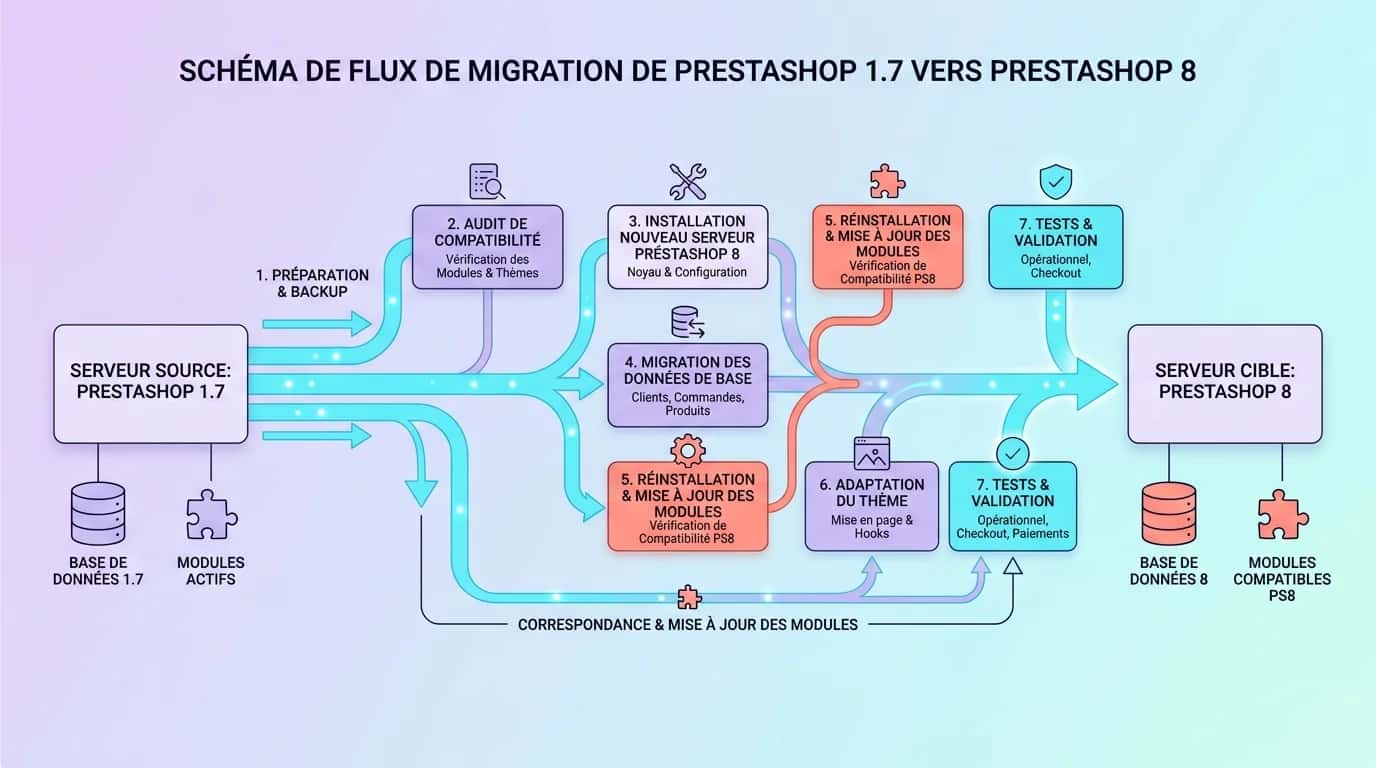
Étape 1
Inventory every installed module, custom theme and third-party integration, including ERP, CRM and carriers. List overrides, custom hooks and database changes. Check each module's PrestaShop 8 compatibility in the official marketplace. This audit reveals blockers before any code is touched.
Étape 2
Export the entire MySQL database, including the ps_orders, ps_customer and ps_product tables and their relationships. Archive themes, modules, product images and attached documents. Store these backups on an external server or separate cloud service. Test restoration at least once to validate their integrity.
Étape 3
Install the target release on a subdomain or test server. Align PHP, SQL, extensions and configuration with future production. For PrestaShop 8, the documentation recommends PHP 8.1 and specifies MySQL 5.7 or MariaDB 10.2 as the minimum. Check PrestaShop 9 requirements separately.
Étape 4
Migrate in dependency order: categories first, then products with attributes and variants, customers and addresses, and finally orders and histories. Use a tool compatible with both source and target versions or a controlled script. Verify identifiers and relationships after each import.
Étape 5
Map every old-site URL to its counterpart on the new one. Product, category and CMS-page URLs must all point to their new addresses. Configure rules in .htaccess or through a redirect module. A mapping CSV makes tracking easier, with columns for old URL, new URL and HTTP status.
Étape 6
Complete the entire purchase journey: add to basket, sign in, pay and receive confirmation. Test every payment module, including Stripe, PayPal and Alma, as well as each carrier. Check 301 redirects using Screaming Frog or Sitebulb. Review title tags, meta descriptions and structured data across 50 representative URLs.
Étape 7
Schedule the cutover during a genuinely quiet period based on your own data. Enable maintenance mode, synchronise final orders and execute the documented cutover plan. Check HTTP errors, orders and business flows. Submit the new sitemap in Search Console and keep rollback available until acceptance is complete.
No PrestaShop migration agency can guarantee zero traffic loss. Google states that a major change can cause temporary fluctuations while URLs are crawled and reprocessed. Duration depends on URL count and server capacity. The work is to remove avoidable causes and detect deviations quickly.
Inventory old URLs from sitemaps, Search Console, analytics, backlinks and a complete crawl. Map every retained page to a relevant destination, including products, categories, CMS pages, images and files that receive traffic or links. A removed URL with no equivalent should return 404 or 410 rather than redirecting to the homepage.
Google recommends permanent server-side redirects, such as 301 or 308, directly to the final destination. Update internal links, canonicals and hreflang where relevant. Test the mapping before cutover, then submit a sitemap containing the new URLs. Our website migration guide covers the same controls beyond PrestaShop.
After launch, compare clicks, impressions, indexed pages, HTTP errors and server logs across the old and new scope. Check orders and conversions too: an indexable page is not necessarily functional. Give your team ownership of these signals even when the supplier completes the technical migration.
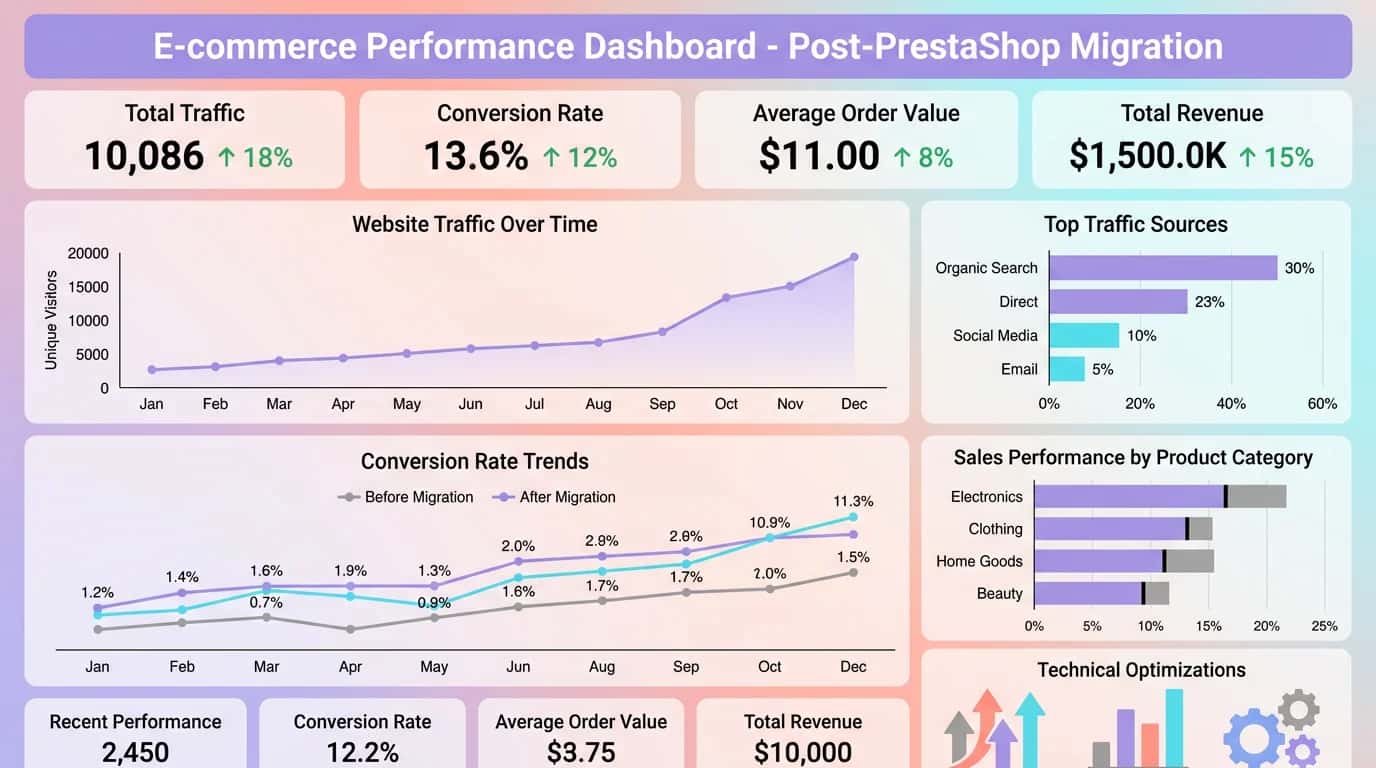
A fashion retailer with eight employees and 3,200 products migrated from PrestaShop 1.6 to 8.1 in six weeks. Loading time fell from 4.8 to 1.9 seconds. Its conversion rate rose from 1.2% to 2.1%, a 75% increase. Organic traffic returned to its original level within three weeks thanks to complete redirect mapping for 4,800 URLs. To take this further, read Website Maintenance.
An organic-products distributor with 12 employees and 8,500 SKUs changed servers while moving from PrestaShop 1.7.8 to 8.2. Its total budget was €9,500, including the audit, migration and three months of post-migration support. The outcome was a 55% reduction in server time, 32% more organic traffic after 90 days and no lost orders during the switch. The key was a staging environment tested for two full weeks before launch. For a practical continuation, see Website Under Maintenance.
Both examples show a consistent pattern: PrestaShop migration produces measurable ROI when it follows a structured process. If you operate a PrestaShop website with more than 1,000 products, the investment can pay for itself within three to six months through improved conversion and lower server costs.
“Our migration from PrestaShop 1.7 to 8.1 took five weeks. The two weeks of staging tests were the critical part. We discovered four incompatible modules that we would never have found without that phase. The result was a trouble-free launch and 35% faster performance on mobile.”
From the audit and data transfer to SEO redirects, testing and launch, our team manages every stage of your PrestaShop migration to protect your traffic.
Last updated: Checked 24 August 2026
Keep exploring

A project in mind?
Start with a free audit grounded in your goals, website and data.
Discutons de votre projet
30 min · Google Meet
Choisissez le créneau qui vous convient dans notre calendrier. On analyse votre situation avant l’appel pour aller droit au but.
Finding available times...