

SEO

La Refonte insights
A step-by-step method for designing an effective website structure, from content inventory and topic silos to free tools and UX validation, with measured SME examples.
SEO

Design
Refonte
A website structure is the hierarchy organising every page and subpage, from the home page to the deepest content. According to Google Search Central (2024), a clear structure lets crawlers discover three times more pages in a single crawl. For an SME, this visual plan is the project's backbone: it determines navigation, internal links and the site's ability to rank for strategic keywords. To take this further, read Website migration.
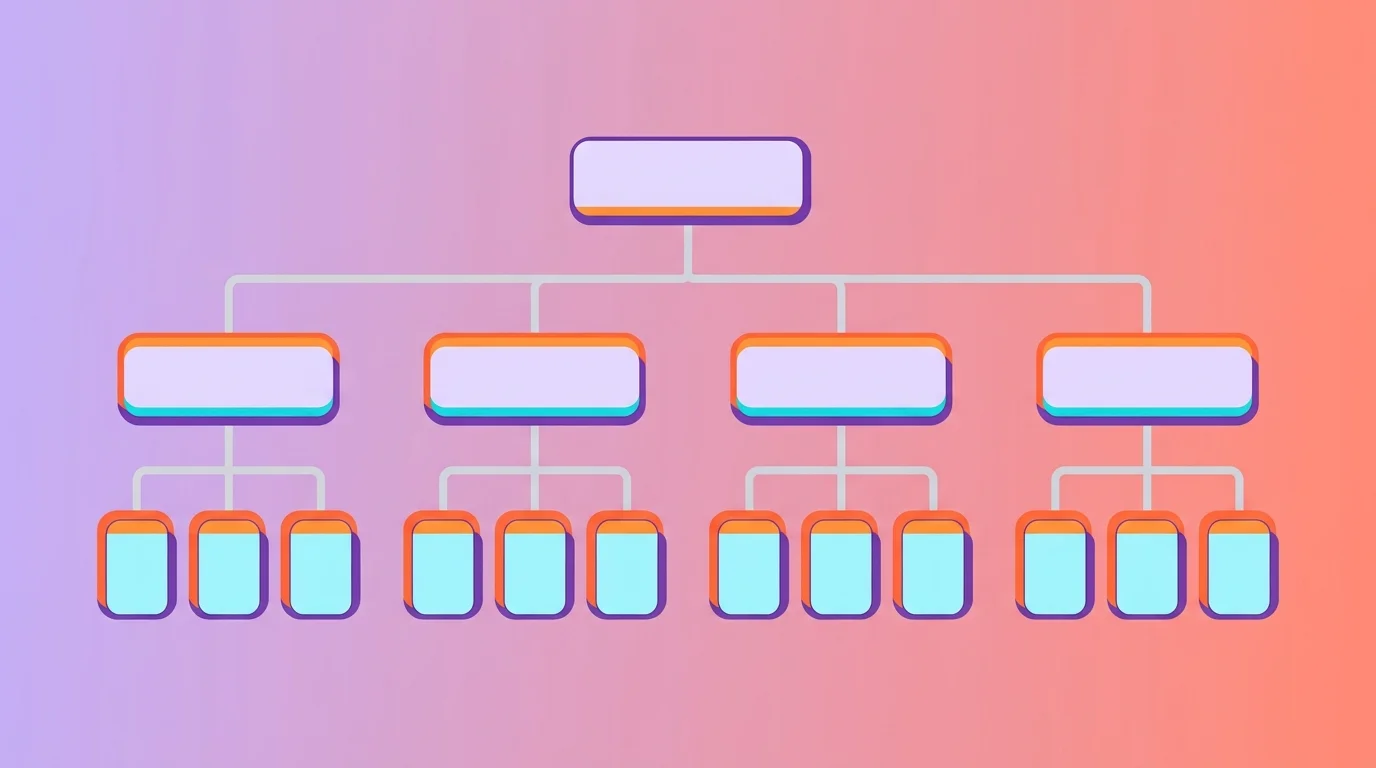
Picture an inverted organisation chart. The home page sits at the top, main categories form the second level and detailed pages occupy the levels below. Each branch represents a topic silo, grouping pages around one subject. An accountancy firm in Lyon restructured its 45-page site into five silos: expertise, sectors, resources, contact and about. Time on site rose by 38% within eight weeks, measured through Google Analytics.
Google uses internal links to understand a site's hierarchy. According to Ahrefs (2024), pages more than four clicks from the home page receive 80% less organic traffic on average than those within two clicks. Structure therefore directly affects visibility. A poorly organised site scatters its crawl budget: Googlebot wastes visits on low-value pages instead of indexing strategic content. For a practical continuation, see WordPress SEO.
80%
less traffic beyond four clicks (Ahrefs, 2024)
3x
more pages crawled with a clear structure (Google, 2024)
38%
more time on site after restructuring into silos
60%
fewer changes when a visual sitemap precedes development
Structure also affects conversion rate. According to Baymard Institute (2023), overly complex navigation causes 27% of ecommerce basket abandonment. A brochure site has the same problem: if visitors cannot find the contact or quote page within two clicks, they leave. A plumber in Nantes cut his bounce rate from 67% to 41% simply by replacing a 12-item menu with five categories and dropdown submenus.
Creating a structure is more than drawing boxes on a whiteboard. It is a methodical process that begins with user needs, incorporates keyword analysis and ends with testing. According to Semrush (2025), sites following a structured method gain an average two positions for their main keywords within six months of redesign. Here is the complete method we use on every website redesign.
Étape 1
Export every URL from Google Search Console or Screaming Frog. Mark each page for retention, merging, deletion or creation. An 80-page site often has 30 pages to merge or remove.
Étape 2
Group keywords into topic clusters. Each cluster becomes a silo in the structure. Use Semrush, Ahrefs or Ubersuggest to identify volumes and informational, commercial or transactional intent.
Étape 3
Ask five to ten users to group content into logical categories. A limited free OptimalSort account or a simple spreadsheet is enough. Card sorting reveals visitors' real mental models.
Étape 4
Draw the tree: home page → main categories (seven maximum) → subcategories → detailed pages. Follow the three-click rule by keeping every strategic page within three levels.
Étape 5
Map links between pages inside each silo and across related silos. Every page should receive at least two internal links. Strategic service and landing pages should receive five or more.
Étape 6
Tree testing measures whether users find the right information in your structure. With Treejack or a Google Form, ask: 'Where would you look for [content X]?' Aim for a success rate above 80%.
Étape 7
Export the approved structure as a visual sitemap in Figma or GlooMaps, with a spreadsheet covering URLs, titles, meta descriptions and redirects. This deliverable belongs in the project specification.
A HubSpot analysis (2024) found that 72% of SMEs using a visual planning tool deliver their website on schedule, compared with 43% of those working without visual support. Several free options create a professional visual sitemap. The right one depends on site size and the collaboration required with your team or web agency.
| 01Tool | 02Type | 03Free allowance | 04Collaboration | 05Export |
|---|---|---|---|---|
| 01GlooMaps | Visual sitemap | Unlimited | Shareable link | PNG |
| 02Figma (free) | Collaborative design | Three files | Real time | PNG, SVG, PDF |
| 03Whimsical | Flowchart / sitemap | 500 elements | Real time | PNG, PDF |
| 04MindMeister | Mind map | Three maps | Real time | PNG |
| 05Screaming Frog (free) | Crawl and visualisation | 500 URLs | Export only | CSV, XML |
| 06Google Sheets | Spreadsheet | Unlimited | Real time | CSV, XLSX |
GlooMaps
Figma (free)
Whimsical
MindMeister
Screaming Frog (free)
Google Sheets
An effective structure rests on five foundations. They recur throughout Google Search Central guidance (2024) and the W3C's accessibility recommendations. Ignoring one weakens the entire structure and reduces the effectiveness of your technical SEO.
A site's URL structure should be as simple as possible. Consider organizing your content so that URLs are constructed logically and in a manner that is most intelligible to humans.
According to Semrush (2024), 68% of analysed SME websites have at least three major structural problems. They often go unnoticed because they produce no visible technical error. Yet they slow indexation, scatter PageRank and damage user experience. A complete website audit identifies them before they cost Google positions.
| 01Mistake | 02SEO impact | 03Solution |
|---|---|---|
| 01Orphan pages (no internal links) | Not indexed by Google | Add at least two internal links from topically related pages |
| 02More than eight main menu items | Diluted crawl budget | Group into five to seven categories with submenus |
| 03Excessive depth (more than four levels) | Deep pages ignored | Flatten the structure and add cross-links |
| 04Non-descriptive URLs (/page?id=X) | Lost semantic signal | Use /category/keyword/ URLs |
| 05Duplicate content across categories | Keyword cannibalisation | Merge pages or use canonical tags |
| 06Different mobile and desktop navigation | Distorted mobile-first indexation | Use the same structure on every device |
Orphan pages (no internal links)
More than eight main menu items
Excessive depth (more than four levels)
Non-descriptive URLs (/page?id=X)
Duplicate content across categories
Different mobile and desktop navigation
During a website redesign, restructuring is the riskiest stage for SEO. According to Ahrefs (2023), 34% of sites that change URL structure during a redesign lose more than 20% of organic traffic within three months. Missing or incorrect 301 redirects are the main cause. An organic-goods retailer in Marseille lost 45% of organic traffic after changing every URL with no redirect plan. It took seven months to recover.
“We thought rebuilding the menu would be enough. The team showed us that without a redirect plan and internal links, we would lose all our search visibility. The structure took three weeks, but we gained 42 positions across our ten main keywords in four months.”
Our consultants review your site structure free of charge and provide a practical plan to improve navigation, SEO and conversions.
Your structure underpins SEO, UX and conversions. According to Google (2024), a well-structured site helps crawlers and improves the chance of appearing in rich results. Whether creating a new site or preparing a redesign, investing time in structure delivers one of the best returns available. Begin with the inventory, validate with users and document every decision in the project specification.
Keep exploring

A project in mind?
Start with a free audit grounded in your goals, website and data.
Discutons de votre projet
30 min · Google Meet
Choisissez le créneau qui vous convient dans notre calendrier. On analyse votre situation avant l’appel pour aller droit au but.
Finding available times...